101
Authentication:
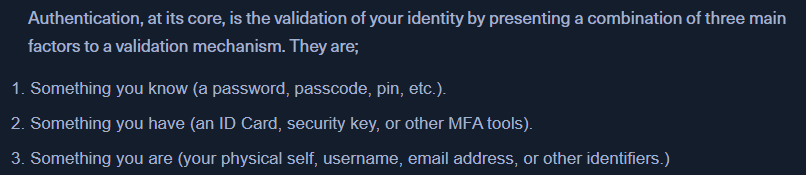
- Stats: https://www.pandasecurity.com/en/mediacenter/password-statistics/
Linux Auth
/etc/shadow
- contains the usernames and the password hashes of this user.
- EG:

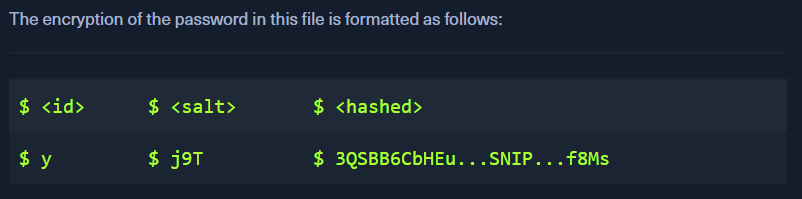
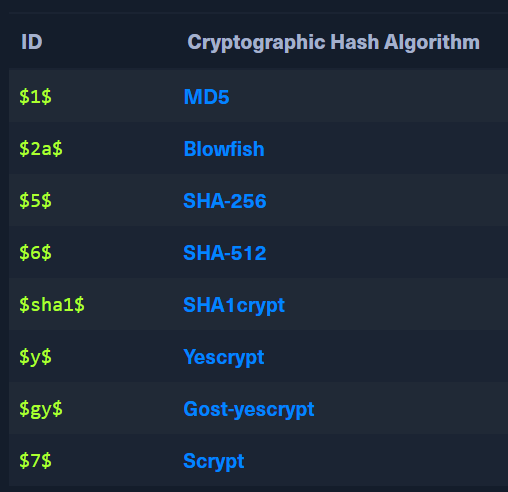
- Eg of cryptographic hashes
- EG:
/etc/passwd
- Contains the usernames and other information
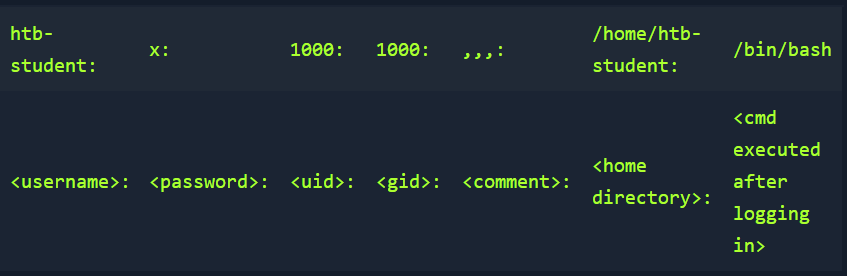
- If
xis mentioned in the password field, the password is encrypted in the shadow file - If it is blank, we can login without a password only using the username
Windows Auth
- complicated than linux
- AD auth with kerberos
-
The
Local Security Authority (LSA)is a protected subsystem that authenticates users and logs them into the local computer- keeps track of the security policies of the accounts

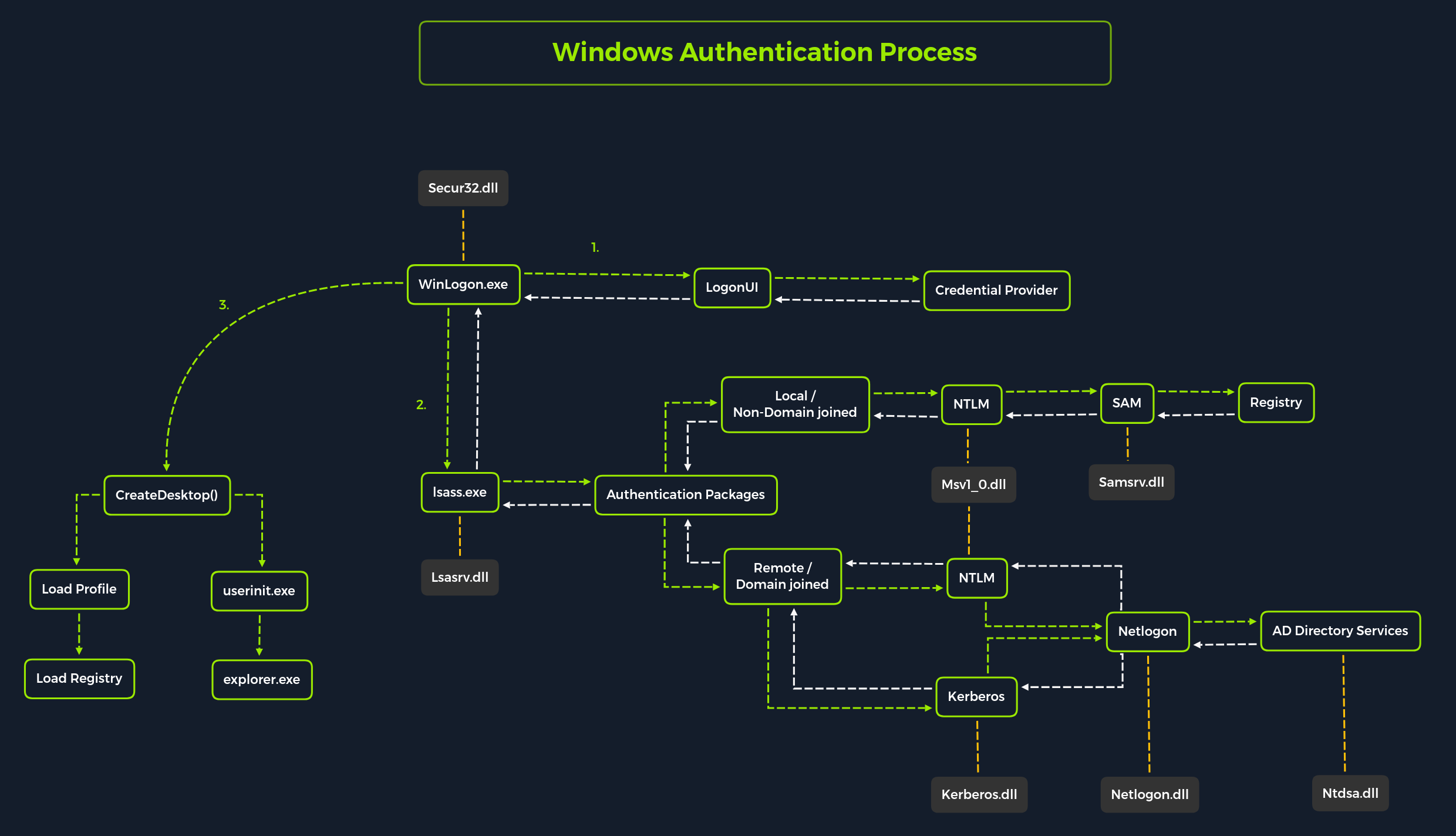
-
Local Security Authority Subsystem Service(LSASS)- https://learn.microsoft.com/en-us/previous-versions/windows/it-pro/windows-2000-server/cc961760(v=technet.10)?redirectedfrom=MSDN
- collection of modules and has access to all authentication processes
- responsible for local system security policy, user auth, send audit logs to event log
SAM DB
- Security Account Manager (SAM) is a db file that stores the users' passwords
- Can be used to authenticate local and remote users
- stores LM / NTLM hashes
- located at
%SystemRoot%/system32/config/SAM- requires system level permissions to view it. - Windows systems can be assigned to either a workgroup or domain during setup.
- If workgroup, it handles the SAM database locally and stores all existing users locally in this database.
- If domain, the Domain Controller (
DC) must validate the credentials from the Active Directory database (ntds.dit), which is stored in%SystemRoot%\ntds.dit.- NTDS.dit is a database file that stores the data in Active Directory
- NTDS.dit is a database file that stores the data in Active Directory
- Windows NT 4.0 and later has
SYSKEY(syskey.exe), when enabled, partially encrypts the hard disk copy of the SAM file.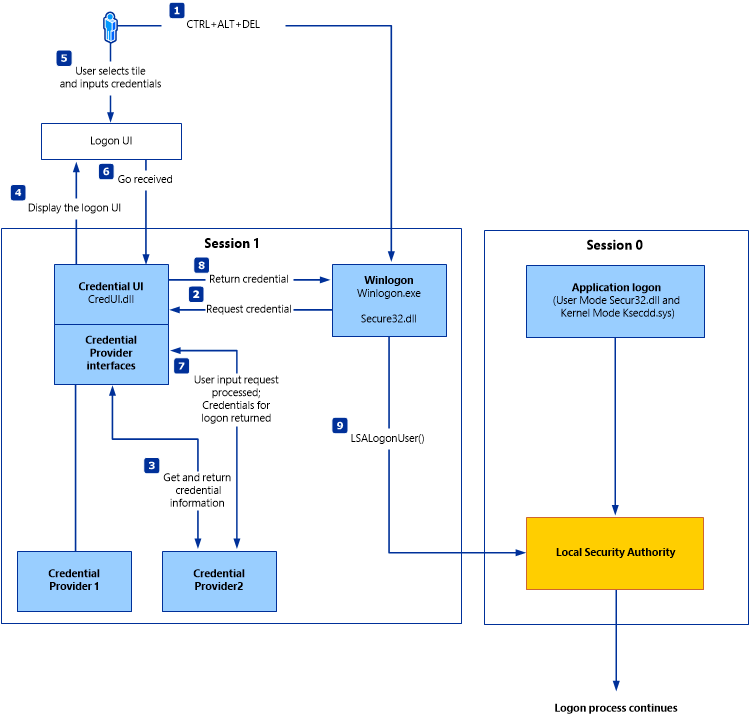
Credential Manager:
C:\Users\[Username]\AppData\Local\Microsoft\[Vault/Credentials]\- save creds in respective users' Credential Locker. Encrypted and stored.
John
- https://enterprise.hackthebox.com/academy-lab/30000/2125/modules/147/1985
- Brute, dict, rainbow tables
-
Single Crack Mode - crack hashes using a single password list
- works by default
john --format=sha256 hash.txt
-
Cracked hashes present in
~/.john/john.pot - WE can also crack password encrypted files with JOHN.
- using additional tools available with john
locate *2john
- using additional tools available with john
- eg: