ACL Abuse Primer
- ACL misconfigurations can leak permissions to other objects that do not need it.
ACL Overview
- who has access to which asset/resource
- the level of access they are provisioned.
- every setting in an ACL is an Access Control Entry (ACE)
- Every ACE maps back to a user, group, process (known as a security principal)
- defines the rights granted to that principal
ACL Types:
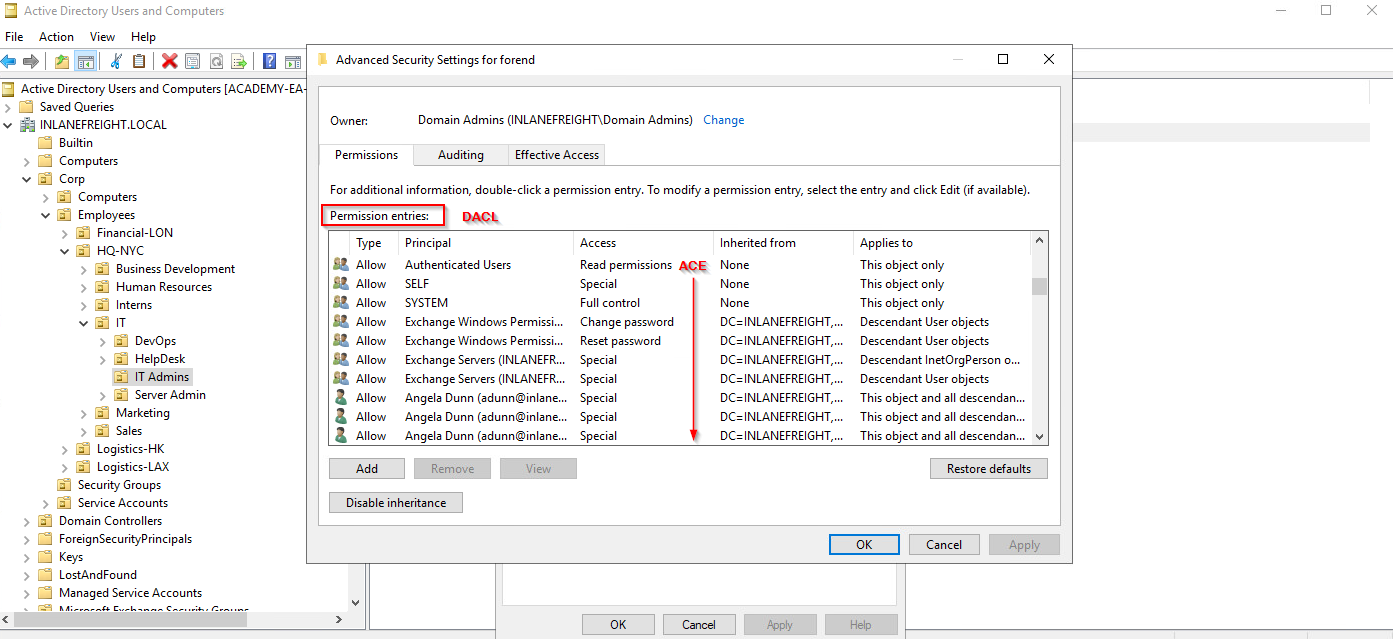
DACL - Discretionary ACLs
- defines which security principals are granted or denied access to an object
- made up of ACEs that either allow or deny access
- when an access is attempted, the system checks DACL for the level of access.
- If DACL does not exist, allow permission to object
- If DACL exists, deny permission to object
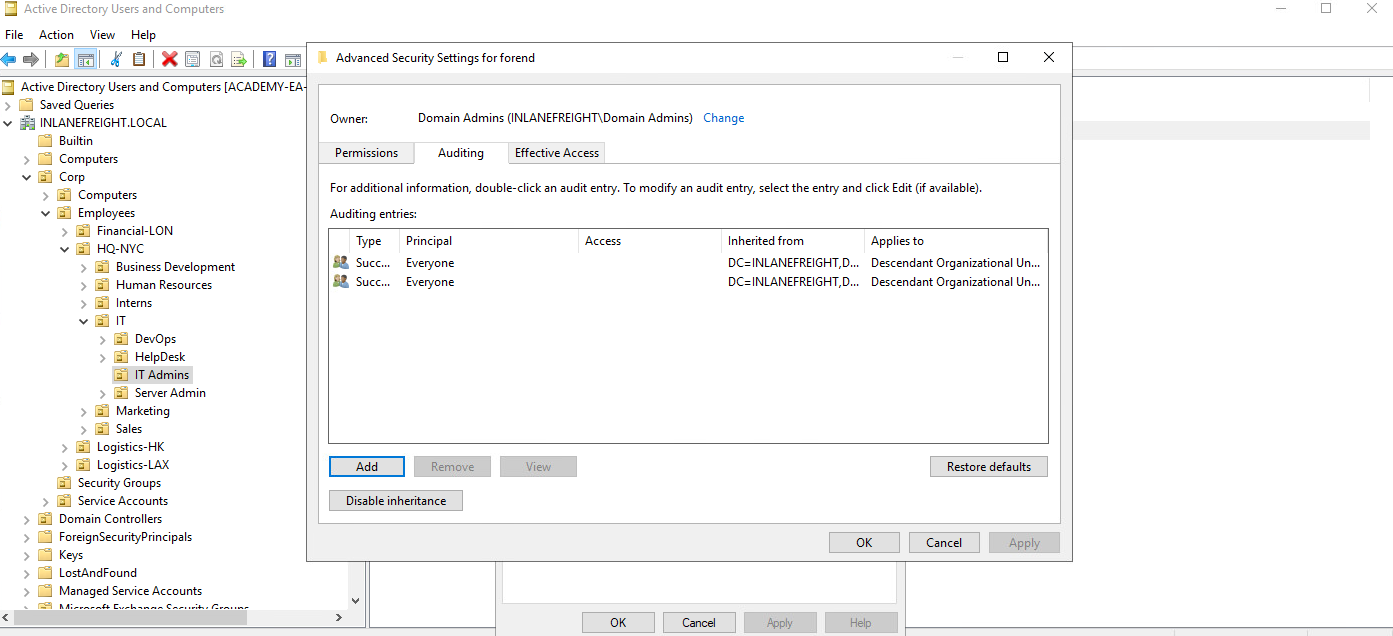
SACL - System ACLs
- allows admins to log access attempts made to secured objects
ACE Types:
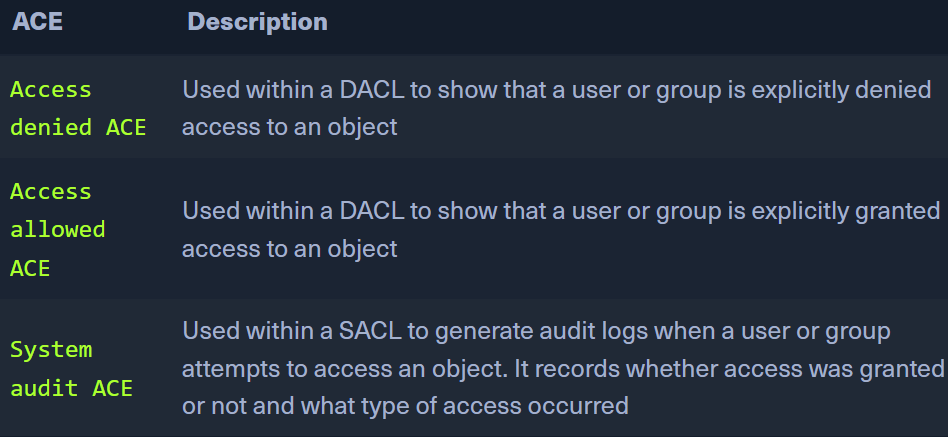
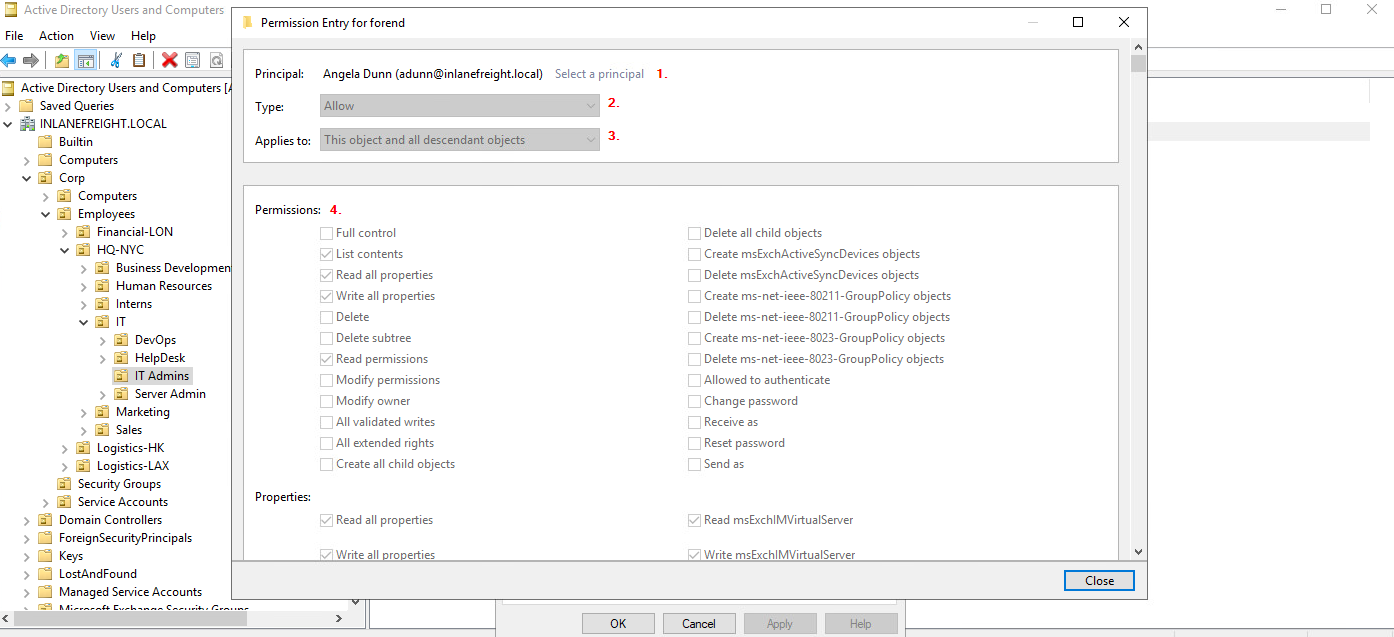
- Each ACE has 4 components:
- SID or principal name of the user/group having access to an object
- flag denoting type of ACE (allow, deny, audit)
- inheritance from
- access mask (32 bits) defining the rights granted to an object
- View in AD Users and Computers
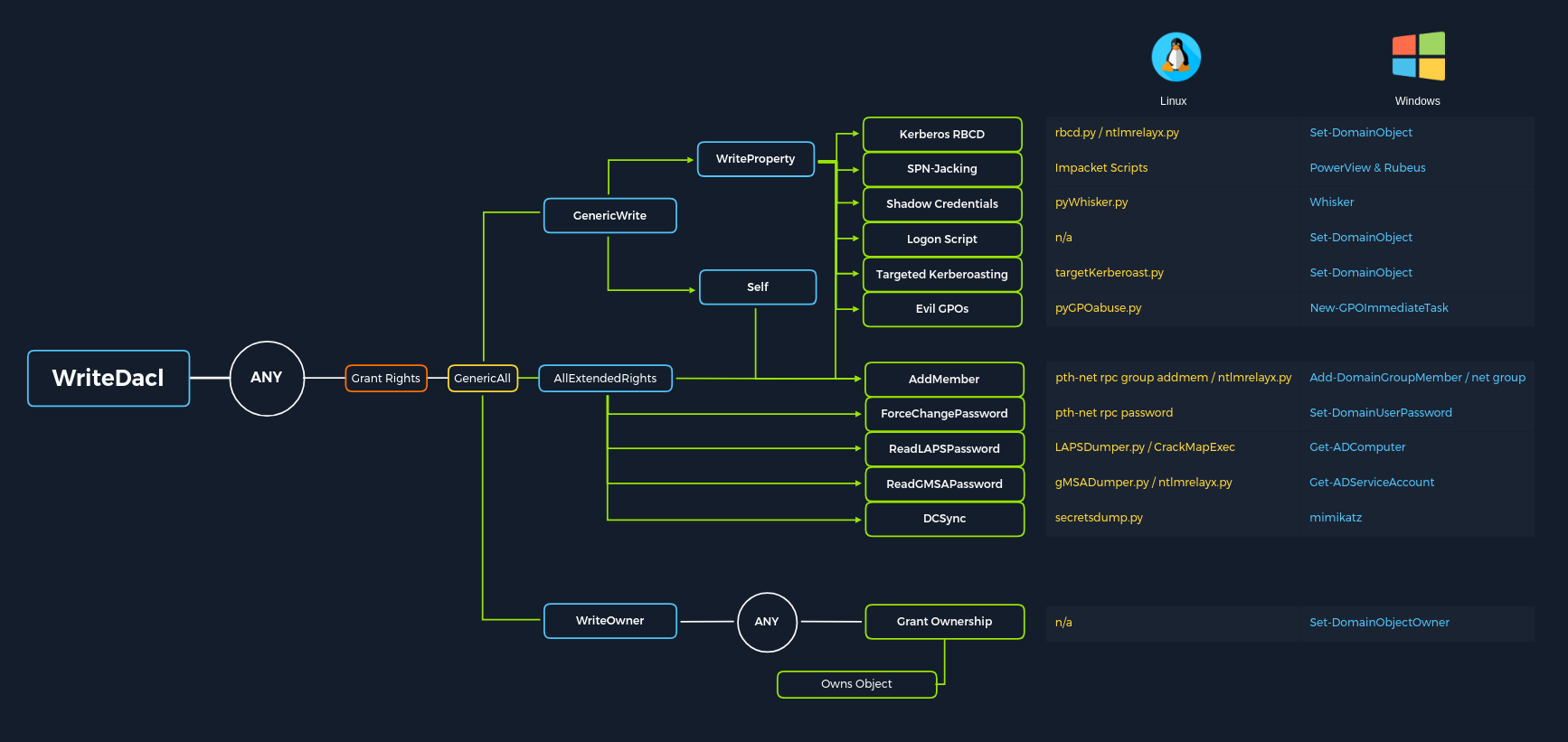
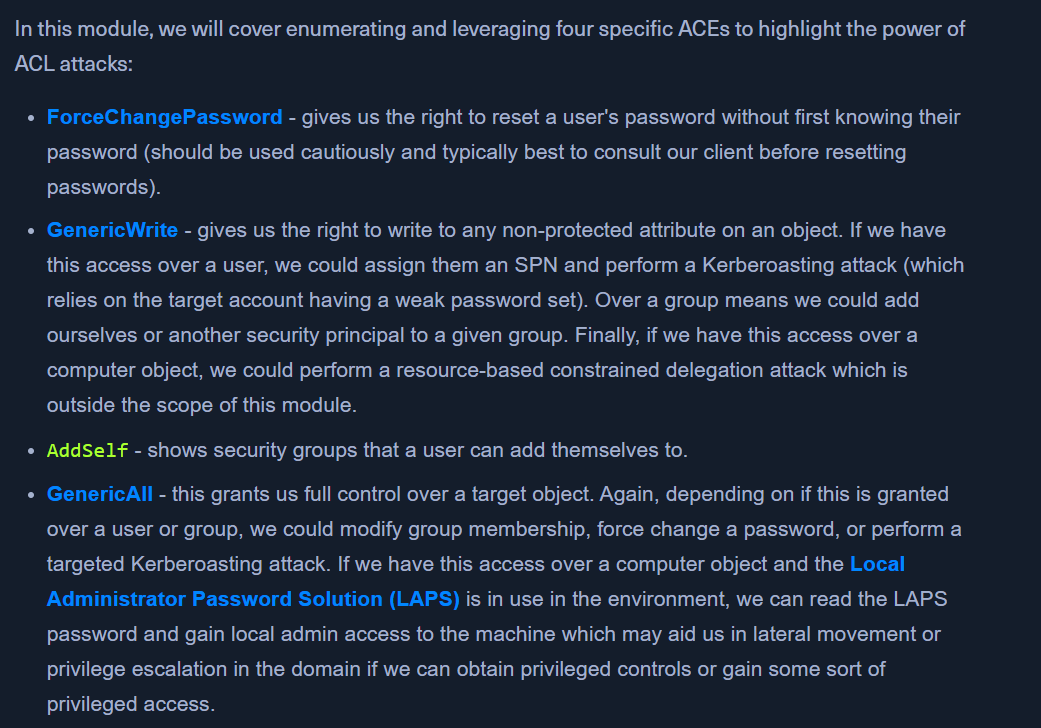
Abuse AD permissions with PowerView modules:
ForceChangePassword abused with Set-DomainUserPasswordAdd Members abused with Add-DomainGroupMemberGenericAll abused with Set-DomainUserPassword or Add-DomainGroupMemberGenericWrite abused with Set-DomainObjectWriteOwner abused with Set-DomainObjectOwnerWriteDACL abused with Add-DomainObjectACLAllExtendedRights abused with Set-DomainUserPassword or Add-DomainGroupMemberAddself abused with Add-DomainGroupMember
 -
-