Main Techniques
Client-side Validation
- Change the file name and contents using Burp suite.
- Upload a valid file (jpg if asked) and then using Burp suite, change its name to
shell.php and change the contents to a webshell or something
- Disable front end validation
- Open page inspector (inspect element) and find the code that button runs
- check the function() using the console - by entering the function name
- remove the function from the code
- this wont persist on refreshing the page
Blacklist Filters
- case sensitive extensions
- Fuzz extensions using Intruder - There are many lists of extensions we can utilize in our fuzzing scan.
PayloadsAllTheThings provides lists of extensions for PHP and .NET web applications. We may also use SecLists list of common Web Extensions.
- run the intruder to find which extensions are allowed
- then, go to repeater and upload a webshell using one of the allowed extensions
- if we cant get a file that is being executed, we can upload the shell using intruder with various extensions
- then, run an intruder on the GET request to find which extension type is being executed.
Whitelist Filter
- allow list generally more secure than blacklist
- Still, there are different use cases for a blacklist and for a whitelist. A blacklist may be helpful in cases where the upload functionality needs to allow a wide variety of file types (e.g., File Manager), while a whitelist is usually only used with upload functionalities where only a few file types are allowed. Both may also be used in tandem.
- Fuzz for allow listed extension types
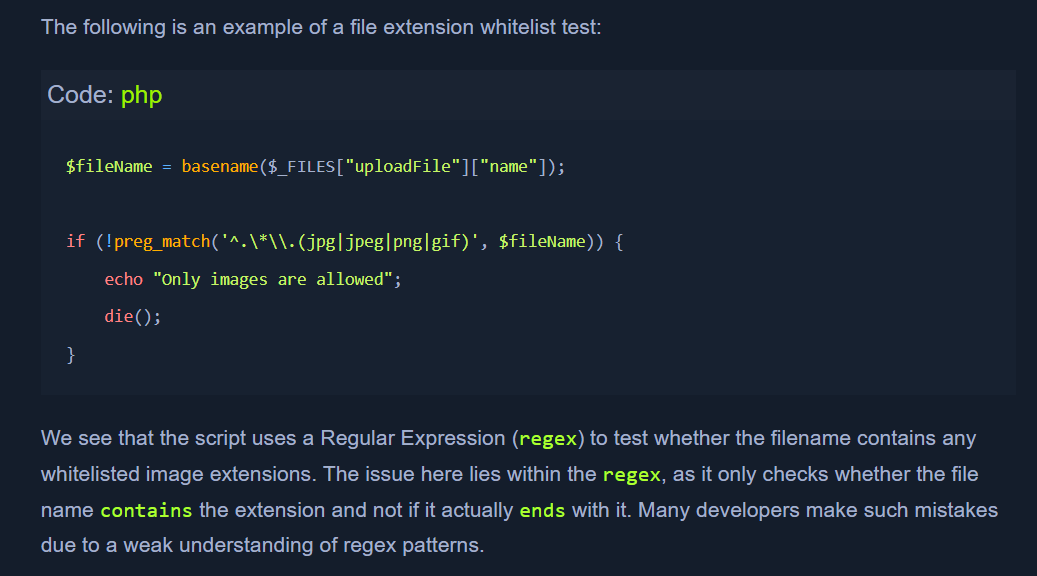
- example of a file extension script:
- to bypass this:
- Double Extensions
- https://github.com/danielmiessler/SecLists/blob/master/Discovery/Web-Content/web-extensions.txt - wordlist for fuzzing
- now we can use
shell.jpg.php
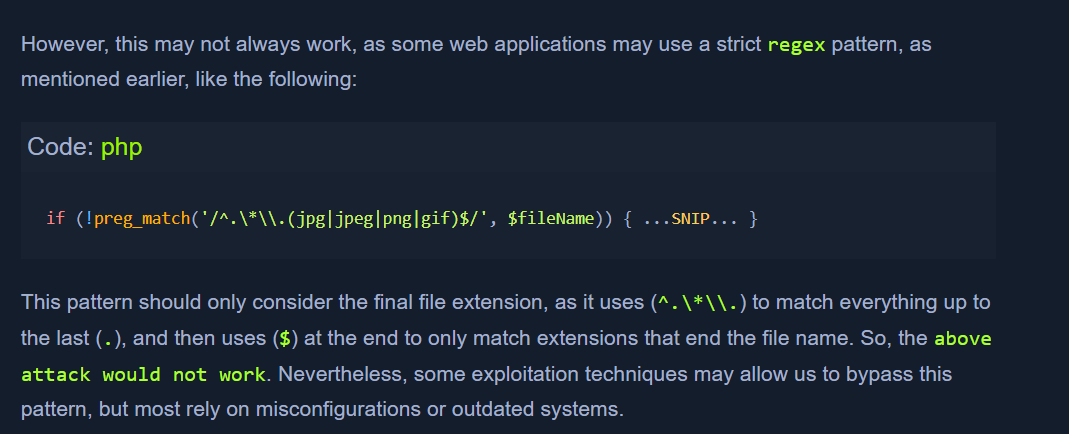
- sometimes, there is a stricter regex:
- Reverse Double Extension
- sometimes, the web server may allow file execution that is lenient.
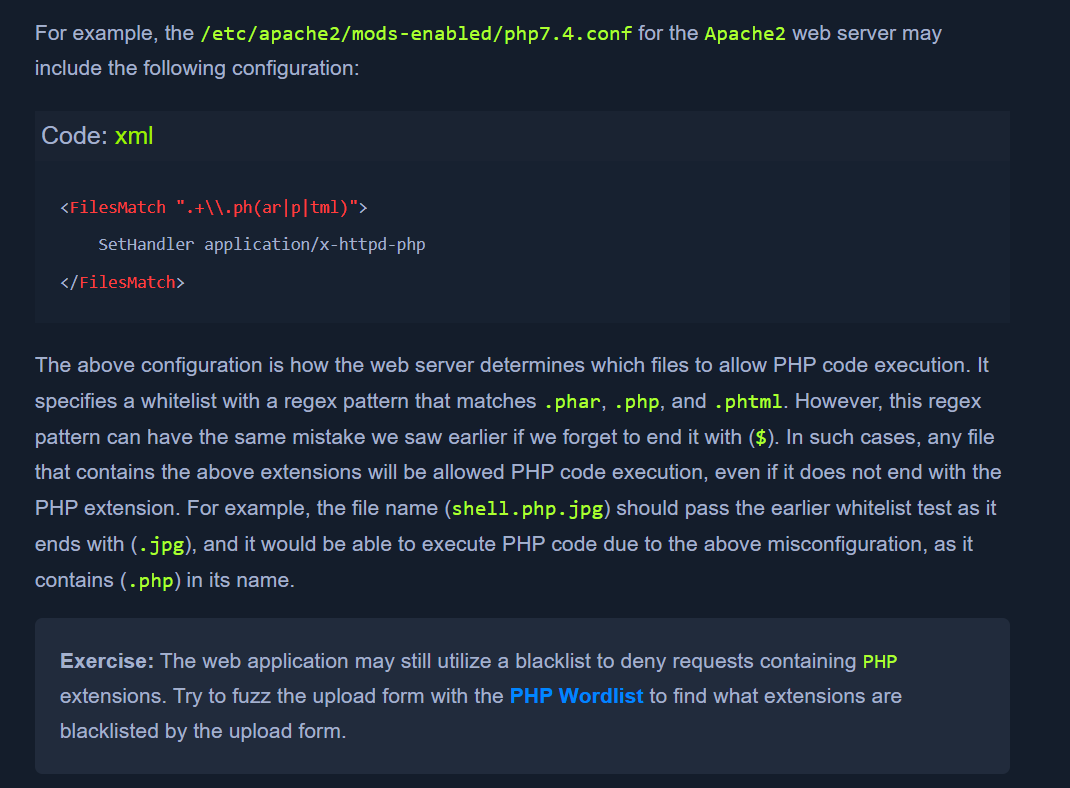
- in this case,
shell.php.jpg would work as the server will allow execution of a file having .php in its name
- Character Injection
- *
%20 * %0a * %00 * %0d0a * / * .\\ * . * … * :
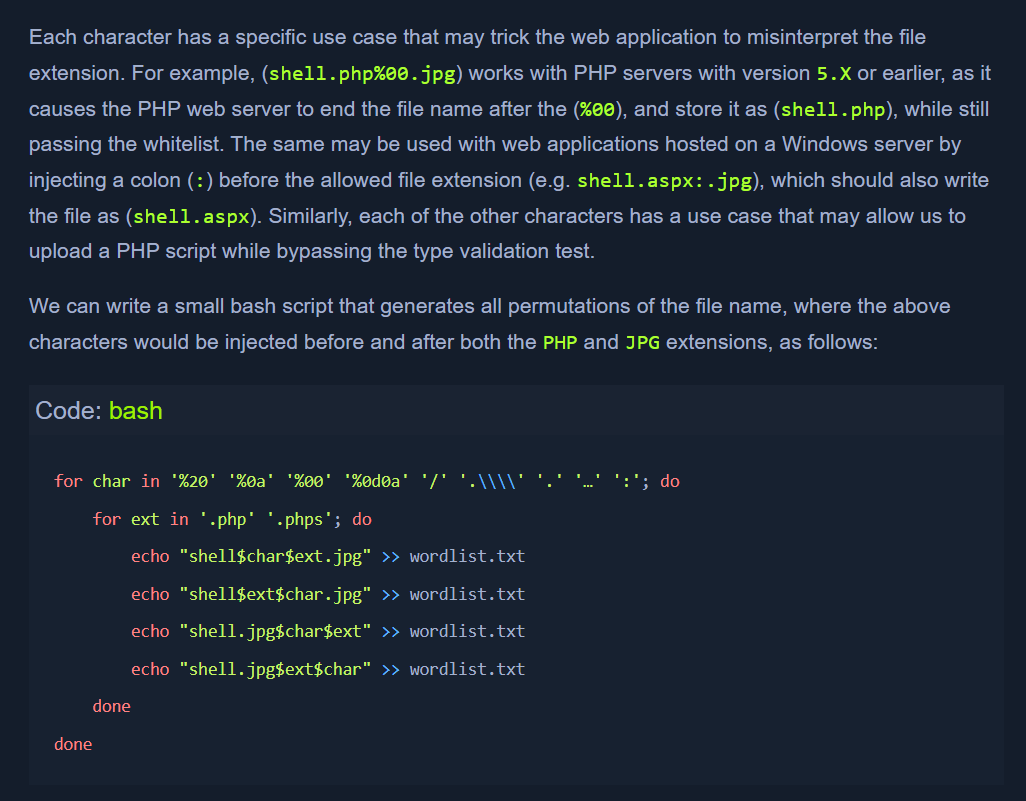
for char in '%20' '%0a' '%00' '%0d0a' '/' '.\\\\' '.' '…' ':'; do
    for ext in '.php' '.phps'; do
        echo "shell$char$ext.jpg" >> wordlist.txt
        echo "shell$ext$char.jpg" >> wordlist.txt
        echo "shell.jpg$char$ext" >> wordlist.txt
        echo "shell.jpg$ext$char" >> wordlist.txt
    done
done
Type Filters
- till now it was only about filename extensions
- many modern web servers and web applications also test the content of the uploaded file to ensure it matches the specified type.
- methods of validating file content -
Content-Type Header or File Content.
Content-type:
- fuzzing wordlist - https://github.com/danielmiessler/SecLists/blob/master/Discovery/Web-Content/web-all-content-types.txt
- filter the wordlist for
image types:
cat web-all-content-types.txt | grep 'image/' > image-content-types.txt
MIME type
MIME-Type. Multipurpose Internet Mail Extensions (MIME) is an internet standard that determines the type of a file through its general format and bytes structure.- This is usually done by inspecting the first few bytes of the file's content, which contain the File Signature or Magic Bytes. For example, if a file starts with (
GIF87a or GIF89a), this indicates that it is a GIF image, while a file starting with plaintext is usually considered a Text file. If we change the first bytes of any file to the GIF magic bytes, its MIME type would be changed to a GIF image, regardless of its remaining content or extension.